• Docs
  • Tools
    • 01ViewerOpen DXF, SVG, STEP and BREP files
    • 02ConvertersMany files in, one format out
    • 03CalculatorArea, centroid and second moments
    • 04Contour checkerCheck and repair DXF, SVG and STEP contours
    • 05NestingPlies and flat parts on a roll, shortest length
    • 06Gear generatorSpur gears, racks and ring gears as DXF, STEP and PDF
    • Every tool runs in your browser
  • Playground
    • >_PlaygroundWrite planex2d code, share a link
    • 01Section propertiesAn IPE 200 against the steel table
    • 02A constraint sketchDimensions that drive the shape
    • 03Boolean operationsUnion, intersection, difference
    • 04Offsets in matplotlibOffsets drawn with matplotlib
    • Examples open with their code, ready to run
  • Examples
  • Practice drawings
planex2d
  • Overview

Workflows

  • Start here
  • From DXF drawing to mesh
    • Step by step
      • Reading the drawing
      • Naming the boundaries
      • Meshing
    • Other formats
    • Pitfalls
    • In the browser
  • Cleaning up imported drawings
    • Step by step
      • Finding what is wrong
      • Cleaning up
      • Checking the result
      • Writing the clean drawing
    • Other formats
    • Pitfalls
    • In the browser
  • From sketch to dimensioned drawing
    • Step by step
      • Sketching the part
      • The drawing
      • The sheet
      • Writing the files
    • Changing the design
    • Where the sketch comes from
    • Pitfalls
  • Preparing parts for laser cutting
    • Step by step
      • Reading the part
      • Checking webs and openings
      • The cutting path
      • Writing the cutting file
    • Other formats
    • Pitfalls
    • In the browser
  • From 2D profile to 3D part and STEP
    • Step by step
      • The profile
      • Padding
      • Sketching on the faces
      • Pocketing the holes
      • Writing STEP
    • Where the profile comes from
    • Pitfalls
  • From .CATPart file to parametric model
    • Step by step
      • Reading the part
      • Finding the dimensions
      • Changing the design
      • The 3D part and STEP
    • Where the sketch comes from
    • Pitfalls
    • In the browser
  • From PCB board to 3D model or mesh
    • Step by step
      • Reading the board
      • Finding a net
      • The board in 3D
      • Meshing a net’s copper
    • Other formats
    • Pitfalls
  • Simulation-ready geometry
    • Step by step
      • Reading and gluing
      • Naming the boundaries
      • Periodic sides and mesh sizes
      • Meshing and checking
    • Other formats
    • Pitfalls

About

  • Installation
    • The core and the OpenCASCADE bindings
    • Optional packages
  • API conventions
    • Chaining and copies
    • Reading the arguments
    • Points
    • Planes
    • Angles and units
    • Queries
    • Errors and warnings
  • How planex2d is tested
    • Tests written by hand
    • Agentic testing
    • Fuzz tests
  • Building and contributing
    • Requirements
    • Build
    • Tests
    • Contributing
  • How AI is used in this project
    • Development
    • Documentation
    • Testing
  • License and notices
    • The documentation, examples and exercises
      • Code: 0BSD
      • Text and figures: CC BY-SA 4.0
      • Exercises: CC BY-NC-SA 4.0
    • Eigen 3.4.0
      • Licenses of the Eigen files planex2d compiles
    • pybind11
    • Taskflow 4.1.0
    • Libraries planex2d uses but does not include
    • Packages planex2d imports when they are installed
    • The lettering font osifont
    • Data files under other licenses
    • With thanks
  • What’s new
    • v0.3
      • Drawings of solids
      • ASME drawings
      • The outline of a solid’s shadow
      • Curves
      • Splines
      • Files
      • Constraint sketches
      • Selecting and measuring
      • Changed
      • Fixed
  • In the works
    • Sketches and constraints
    • Measuring
    • Drawings
    • In the browser and installation

Core

  • Basics
    • Objects
      • Objects in planex2d
      • Lines and arcs
      • Splines
      • Parametric curves
      • Wires and faces
      • Faces, shapes and compounds
    • In space
      • The plane in 3D
      • Moving, rotating, mirroring, scaling
    • Data
      • Names and colors
      • Units
      • Tolerances
  • Plotting
    • General
      • matplotlib
      • plotly
      • SVG
      • Marking edges
      • In 3D
    • Sketches
      • Sketch plots
    • Measurements and fields
      • Measurements
      • Fields
    • Everything at a glance
  • Quick sketch
    • Drawing
      • Sketch or QuickSketch
      • Lines and arcs
      • Circles and rectangles
      • Slots, keyholes and polygons
      • Splines
      • Parametric curves
      • Several loops
    • References
      • To, from and until
      • Parallel, perpendicular, angle
      • Tangents
      • Arcs from references
      • Choosing between solutions
      • Construction elements and points
      • Automatic ids
    • Editing
      • Fillets and chamfers
      • Curvature-continuous blends
      • Extending edges
      • Offsets
      • Trimming and splitting
      • Symmetry
    • Placement
      • Placing a sketch
    • Design
      • Parametric design
    • Everything at a glance
  • Constraint sketches
    • Constraining
      • Drawing with constraints
      • Converting sketches
      • Auto constraints
      • Geometry checks
      • From a drawing to a parametric sketch
      • Constraints and dimensions
      • Fully, under- and over-constrained
    • Changing the design
      • Changing dimensions
      • Expressions: design rules
      • Formulas: a dipstick for a tank
      • Parameters shared by sketches
      • Curves driven by dimensions
      • Design tables in a spreadsheet
    • More geometry
      • Symmetry and patterns
      • Splines
      • Trim, split and project
      • Offsets and profiles revisited
    • Beyond drawings
      • Mechanisms: the sketch as a solver
      • Animating a sketch
  • Boolean operations
    • Two faces
      • Three operations
      • Union
      • Difference and intersection
      • Names are kept
      • Symmetric difference
    • Many faces at once
      • A perforated sheet
      • A Reuleaux triangle
      • A stress test
    • Symmetric difference
      • Two revisions of a part
      • An eccentric bore
      • Many parts
    • Faces and wires
      • A truss from its member center lines
      • Glued, the members stay separate
      • Overlapping stretches are kept once
    • Splitting and trimming
      • A segmented ring
      • Trimming a blank
      • Closed cutters punch holes
      • Wires
      • Cutters from 3D
      • The rules
    • Traces and pads
      • Check
      • Pads and drills
    • Everything at a glance
  • 3D
    • Pad and Pocket
      • A clamp plate
      • Pockets from a sketch on the top face
      • Up to a face
      • Options
    • Everything at a glance
  • Measuring
    • Measurements
      • Areas, centroids and second moments
      • Boxes, crossings and open ends
      • Hull and enclosing shapes
      • Distances and clearances
      • Along an edge
      • Inside or outside
      • Relations between shapes
      • Dimensions in a sketch
    • Analysis
      • Part analysis
    • Everything at a glance
  • Drawings
    • A dimensioned drawing
      • The sketch
      • The drawing
      • After a change
    • Placing dimensions
      • Lengths
      • Radii and diameters
      • Counts and texts
      • Angles
    • Center lines and axes
      • Circles and bolt circles
      • The axis of a turned part
    • Views and sheets
      • Two views
      • Other views
      • Third-angle projection
      • Tables and notes
    • Views of solids
      • A bearing plate in three views
      • Curved faces and rounded edges
      • A view square to a slope
    • Sections
      • The bearing plate cut through its bore
      • A section at the height of the channels
      • A turned part in full section
    • Title blocks and files
      • The title block
      • A company’s title block
      • Files
  • Files
    • STEP and BREP
      • A part on an inclined plane
      • Several parts
      • Files from other programs
      • Units
      • Export options
      • BREP
    • SVG files
      • Writing
      • Reading back
      • A drawing from another program
      • Units
    • DXF
      • A gasket drawing
      • Polylines with arcs
      • Units
      • Gaps
    • STEP and BREP
    • SVG
    • Shapely
    • KiCad
    • gmsh
  • Defeaturing and simplification
    • Small gaps
      • A square that does not close
      • On export and when reading
      • A missing edge
    • Small edges
      • A step of 10⁻⁵
      • On export
    • Collinear lines
      • A bottom in four pieces
    • Fitting arcs
      • A measured bore
      • Tolerance
      • On export
    • Fitting splines
      • An ellipse from 128 segments
      • Arcs first
    • The steps, in order
  • Comparison with other libraries
    • Union of many discs
    • Union of traces
    • Merging split edges
    • Nearly coincident edges
    • Gluing many faces

Integrations

  • OpenCASCADE
    • Export
      • To OCC shapes
      • Export options
      • Splines as arcs
    • Modeling
      • A C-clamp, step by step
      • Sketching on and projecting 3D geometry
      • Lofting sections
      • Lofts with guide curves
    • Everything at a glance
  • netgen and NGSolve
    • Getting started
      • Coming from netgen's WorkPlane
      • Naming and marking
      • Identifications
    • Meshing and fields
      • Meshing a face
      • Fields and cuts
      • Solids and meshes in the webgui
      • Field solvers as measurements
      • From level sets
  • gmsh and FEniCSx
    • A minimal example
    • A trimmed resistor
    • The mesh
    • The resistance
    • Drawing the result
    • More
  • Shapely
    • A minimal example
    • To Shapely
    • Predicates and distances
    • From Shapely and back to arcs
    • Line strings
  • SciPy
    • A minimal example
    • A dimension from a requirement
    • Optimizing a cold plate
    • Fitting a sketch to measured points
    • At a glance
    • In 3D
      • A 3D cold plate
  • PyTorch
    • A minimal example
    • The plate and its two measurements
    • The baseline: COBYLA from the regular grid
    • 40 layouts that fill the space
    • The surrogate
    • Search the model, solve the winners
    • Polish the winner
    • More
    • In 3D
      • A 3D duct
  • KiCad, Altium, Eagle and more
    • KiCad
      • A minimal example
      • A real board
      • Both copper layers
      • What the board looks like
      • Copper per net
      • A clearance check
      • The board in 3D
      • Writing a board
      • Older KiCad boards
    • Altium
      • The board
      • Four copper layers
      • The gaps of the split plane
      • The board in 3D
    • Eagle
      • The board
      • Copper per net
      • A check against the DIP grid
      • The board in 3D
    • EasyEDA
      • The board
      • Copper per net
      • A check against the connector grid
    • PADS
      • The board
      • Copper per net
      • A check against the Pico’s pin grid
    • Other formats
      • SolidWorks PCB
      • Cadence Allegro
      • CADSTAR
      • Fabmaster
      • P-CAD
      • gEDA and Lepton EDA
  • CATIA V5
  • NumPy
    • A minimal example
    • Arrays in
    • Arrays out
    • A million points at once
    • Construction data
    • More

Examples

  • Machines and vehicles
    • Toy plane
    • Model rocket
    • Rear wing with DRS
    • Suspension kinematics
    • Excavator arm
    • Spur gears under load
    • Planetary gearbox
    • Wankel engine
    • Scroll compressor
  • Mechanisms
    • Four-bar linkage
    • Hood hinge
    • Jansen linkage
    • Straight-line linkages
    • Geneva drive
    • Cycloidal drive
    • Belt drives
    • Drilling a square hole
    • The haberdasher's puzzle
    • Bicycle tracks
    • Ackermann steering
    • The slider-crank and the Scotch yoke
  • Physics
    • Isospectral drums
    • The Helmholtz resonator
    • Chladni figures
    • Tuning a marimba bar
    • The tuning fork
    • Boat stability
    • Flow through sand
    • Solar shading
    • The catenary arch
    • Euler buckling
    • Cantilever deflection
    • Stress in a thick-walled pipe
    • The stress intensity factor of a crack
    • Mirrors from conic sections
    • The fastest slide
    • Transition curves
  • Fields and simulation
    • Surface magnet motor
    • Heat sink
    • Hilbert heater
    • Parallelogram flexure
    • Vivaldi antenna
    • Voronoi bone
    • Lens ray tracing
    • Airplane windows
    • The Tesla valve
    • The Venturi meter
    • The hydraulic diameter
    • The Joukowski airfoil
    • Microstrip impedance
    • The Faraday cage
    • Sharp or blunt lightning rods
    • The skin effect
    • Waveguide cutoff
    • A photonic crystal
    • Stress at a shoulder fillet
    • Open and closed sections in torsion
    • The Halbach array
    • Turing patterns
    • The Helmholtz coil
    • Random walks and electric networks
    • Designing an auxetic material
  • Manufacturing
    • Gear cutting
    • Pocket milling
    • A slicer for 3D printing
    • Laser-cut box
    • Stencil lettering
    • Flange drawings from a design table
    • How long can adjusting slots be?
  • Geometry and design
    • Penrose tiling
    • Rose window
    • Path planning
    • The moving sofa
    • Prince Rupert's cube
    • The coastline paradox
    • The pole of inaccessibility
    • Section properties of steel profiles
    • The spirograph
    • The Hausdorff distance
    • The isoperimetric inequality
    • The lune of Hippocrates
    • Circle packing in a square
    • The problem of Apollonius
    • Drawing a logo
    • Why bees build hexagons
    • Vaults and Steinmetz solids
    • Gabriel's horn
    • Buffon's needle
    • Pick's theorem
    • The Steiner tree problem
    • Sunflower seeds and the golden angle
    • Drawing with epicycles
    • Kepler's second law
    • The Bézier circle
    • The Sierpiński triangle
    • Square packing
    • The Koch snowflake
    • Lissajous curves
    • The golden spiral and the Fibonacci spiral
    • The squircle and the superellipse
    • Squaring the square
    • The pizza theorem
    • The Seven Bridges of Königsberg

CAD practice drawings

  • 2D practice drawings
    • Crane hook
    • Lever
    • Flange gasket
    • Lobed gasket
    • Chain link plate
    • Keyed hub
    • Circular-arc cam
    • Bell crank
    • Vent plate
    • Adjusting plate
    • Nut retainer
    • Wall hanger
    • Motor mount plate
    • Spring clip
    • Ratchet wheel
    • Open-end spanner
    • Lifting lug
    • Ratchet pawl
    • Chain sprocket
    • Disc cam
    • Flange series
    • Gear pump gasket
  • 3D practice drawings
    • Pillow block
    • Guide block
    • Angle bracket
    • Step block
    • Inclined block
    • V-belt pulley
    • Corner block
    • Column base
    • Clevis
    • Fork lever
    • Rocker
    • Saddle support
    • Stepped shaft
    • Spur gear
    • Impeller
    • Square-to-round transition
    • Elbow duct
    • Impeller with twisted blades
    • Hex standoff
    • Control knob
    • Split shaft collar
    • Electronics enclosure
    • Connecting rod
    • Manifold block
    • Sheet-metal bracket
    • Compression spring
    • Pipe flange
    • Handwheel
    • Gear pump cover
    • Gear pump housing
    • Gear pump rotors

Experimental

  • Deformable shapes
    • Displacements and topology changes
      • Moving the hole up
      • What happens at a topology change
      • Results
    • Displacements from NGSolve
      • A harmonic extension
      • In motion

API

  • API reference
    • Geometry
      • Edges and wires
      • Faces, shapes and compounds
      • Planes
    • Sketches
      • Constraints and dimensions
      • References
    • Boolean operations and transformations
      • Offset ends and corners
    • Selections and views
      • Coordinates and axes
    • Files and other libraries
      • Modules
    • OpenCASCADE and netgen
    • Plotting and drawings
      • Drawings
    • Measurements
    • Units, settings and warnings
      • Units
      • Modules
    • Experimental
planex2d
  • Examples
  • Machine and vehicle examples
  • View page source

Machine and vehicle examples

These examples are machines and vehicles, from a toy plane and a model rocket to gears, engines and a compressor. Each starts from 2D sketches. The plane, the rocket and the rear wing become solids with OpenCASCADE, the spur gears are meshed by netgen and loaded in NGSolve, and the excavator arm moves as one constraint sketch. The Wankel engine and the scroll compressor run through their cycle, with the areas of their chambers and gas pockets measured along the way.

In this section

Toy plane
Toy planeFuselage frames, NACA wings and engines, lofted and revolved.
Model rocket
Model rocketA von Kármán nose cone as a spline, revolved, with swept fins.
Rear wing with DRS
Rear wing with DRSA three-element Formula Student wing, in 3D and meshed in 2D.
Runs in the browserSuspension kinematics
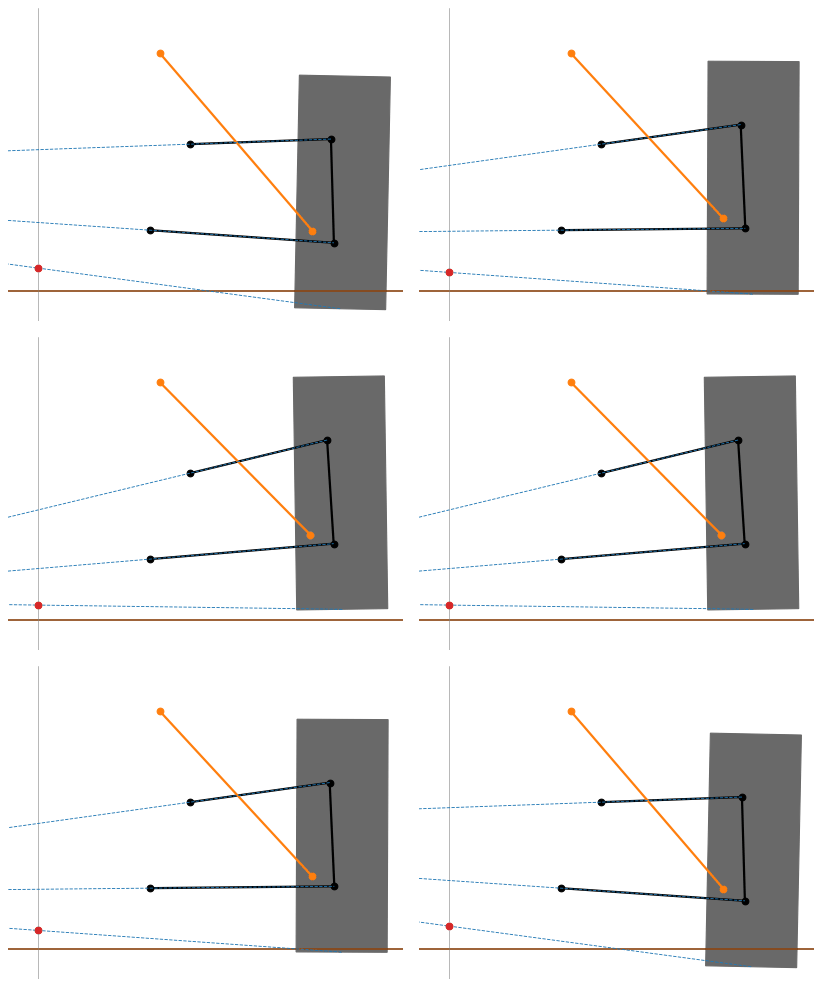
Suspension kinematicsDouble wishbones in bump and rebound, with their instant and roll centers.
Runs in the browserExcavator arm
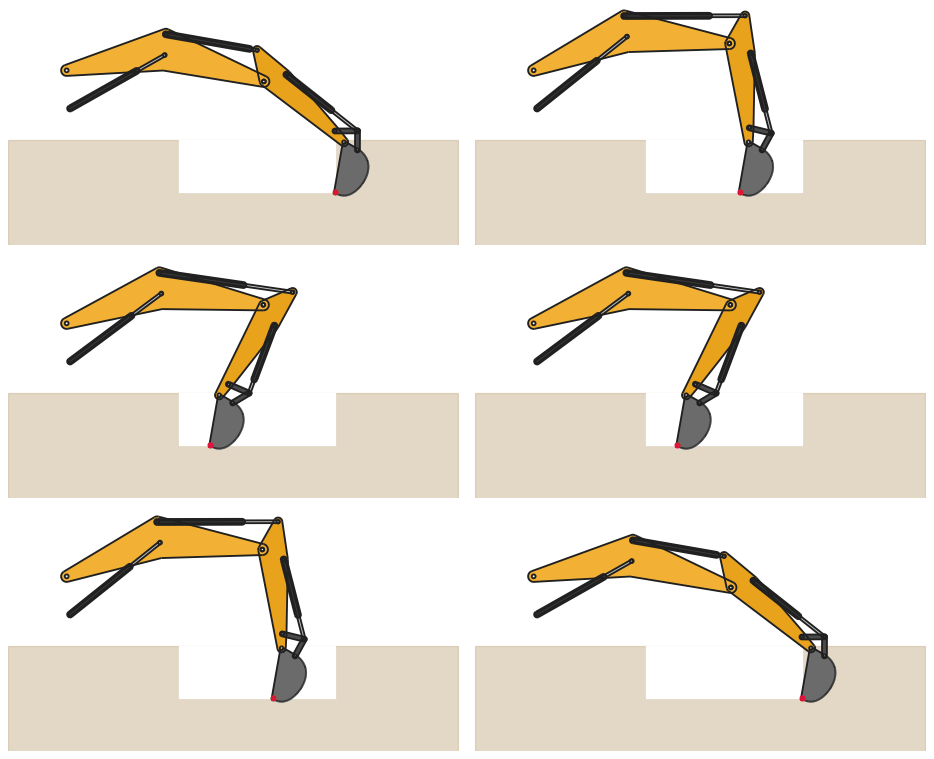
Excavator armA 20 t arm as one constraint sketch, with its working range and a trench.
Spur gears under load
Spur gears under loadInvolute flanks as splines, meshed and loaded, with the von Mises stress.
Planetary gearbox
Planetary gearboxSun, three planets and ring gear, 15 mm wide, with backlash.
Runs in the browserWankel engine
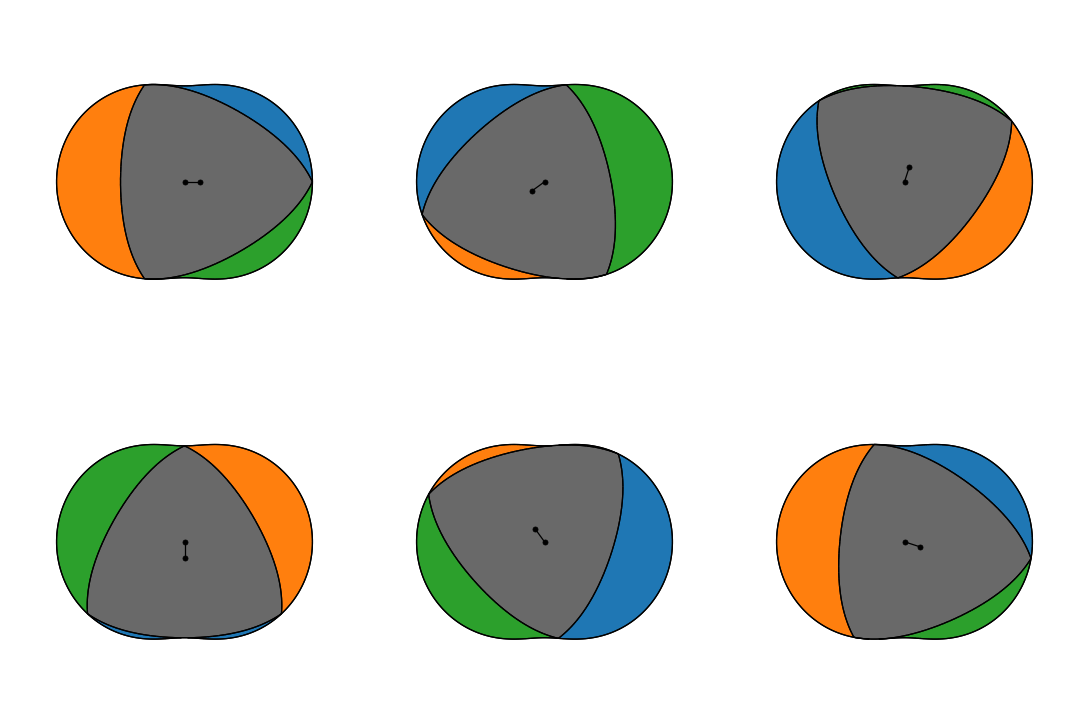
Wankel engineEpitrochoid housing, a rotor that fits in every position, three chambers.
Runs in the browserScroll compressor
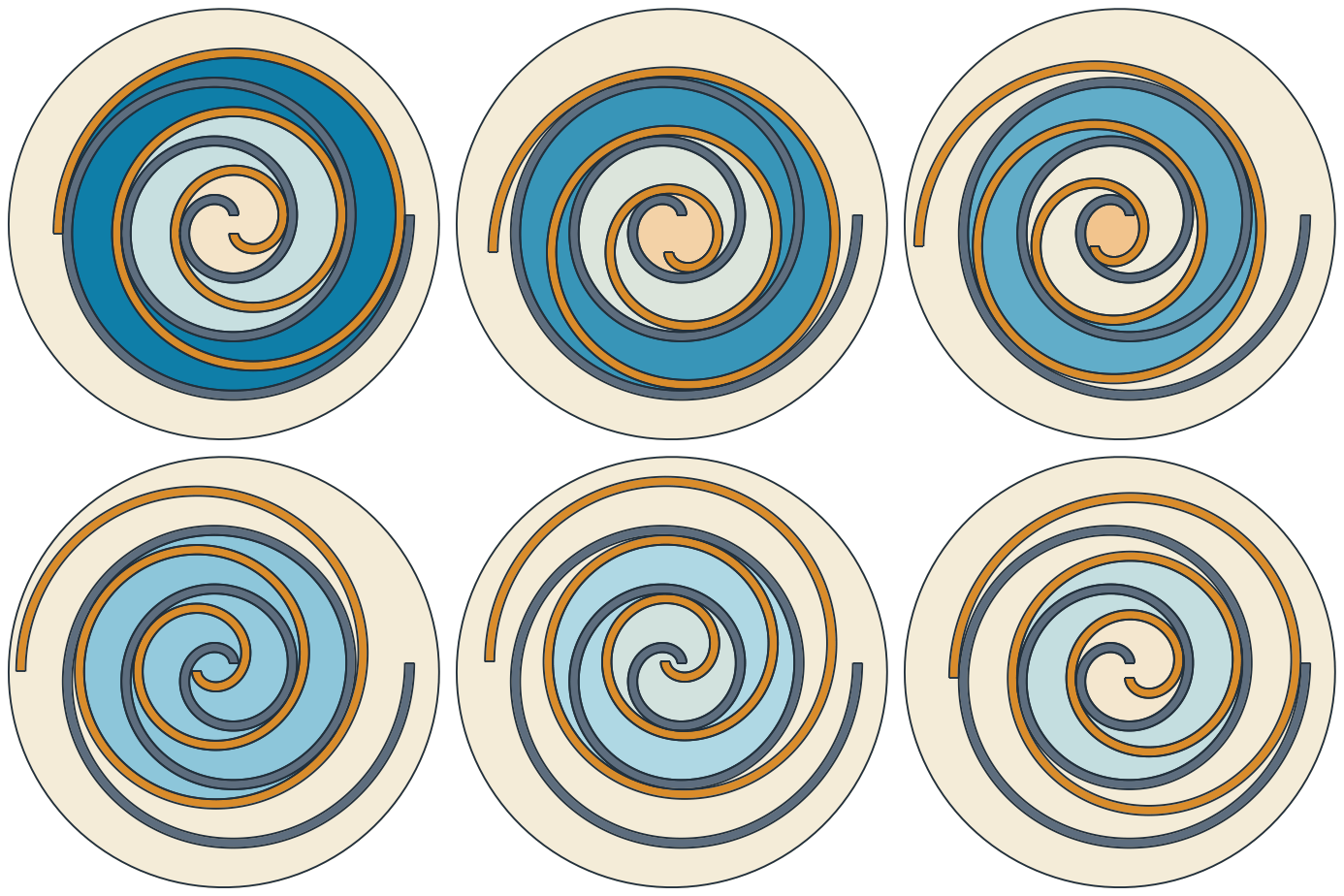
Scroll compressorTwo involute wraps and the gas pockets between them, shrinking evenly as the scroll orbits.

See Examples for the other collections.

Previous Next

© 2026 Sebastian Hirnschall · Imprint · Privacy · License · GitHub · PyPI

Built with Sphinx using a theme provided by Read the Docs.