Export options
Every export can apply everything that Simplify does (see Defeaturing). The face itself is not changed, because the cleanup runs on a copy on the way out. The examples on this page use an ellipse with half axes 1 and 0.5, tessellated into 64 lines.
[1]:
import math
import planex as px

turns = [2 * math.pi * k / 64 for k in range(64)]
outline = px.Face([px.FromPolyline([(math.cos(t), 0.5 * math.sin(t)) for t in turns], closed=True)])
Splines on the way out
The example exports the ellipse once as it is and once with fit_splines, as B-splines, which is the same cleanup that Simplified does. The ends of the edges are marked (Figure 1), and the face itself keeps its 64 edges.
[3]:
options = {"fit_splines": dict(max_edge_length=0.1, tol=1e-4)}
exported, fitted = outline.ToOCCShape(), outline.ToOCCShape(**options)
print(len(exported.edges), len(fitted.edges), len(outline.edges))
64 2 64
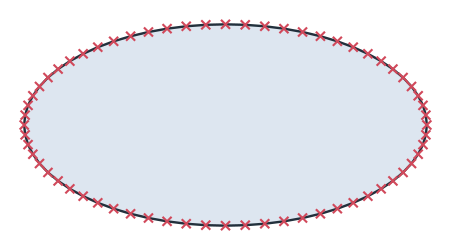
(a) 64 edges
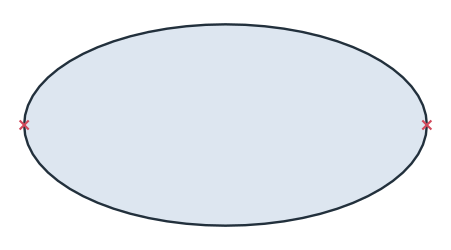
(b) With fit_splines: 2 edges
Defaults for the session
Options that are not given take their value from px.config. A dict for a fit changes the options it names and switches the fit on:
[5]:
px.config.fit_splines = dict(max_edge_length=0.1, tol=1e-4)
print(len(outline.ToOCCShape().edges))
px.config.fit_splines = False
2
Open wires
remove_free_edges removes the edges that touch no other edge at either end, with a warning. It is on by default for faces and off by default for wires, which use it only when it is passed. A chain is never cut, so an open path keeps its open ends. The example is a path of two lines, exported as it is and with remove_free_edges=True. It keeps both its edges:
[6]:
path = px.Line((0, 0), (1, 0)) + px.Line((1, 0), (1, 1))
print(len(path.ToOCCWires().edges), len(path.ToOCCWires(remove_free_edges=True).edges))
2 2