Collinear lines
Straight runs often come in many pieces. Sketches and Boolean operations already merge pieces that lie exactly on one line, and MergeCollinearEdges also merges nearly collinear ones, as they occur in imported data. Two lines meeting at a vertex become one if the vertex lies within the tolerance of the line through their far ends.
[1]:
import planex as px
A bottom in four pieces
The example is a rectangle 4 × 1 whose bottom is drawn as four lines, with the vertex at x = 3 lifted by 10⁻⁶. FromPolyline already joins the two exactly collinear pieces, so the face has six edges, and the default tolerance of 10⁻⁷ changes nothing (Figure 1a). A tolerance of 10⁻⁵ makes the whole bottom one line (Figure 1b). The vertices are marked.
[3]:
face = px.Face([px.FromPolyline([(0, 0), (1, 0), (2, 0), (3, 1e-6), (4, 0), (4, 1), (0, 1)], closed=True)])
merged = face.Copy().MergeCollinearEdges()
straight = face.Copy().MergeCollinearEdges(1e-5)
print(len(face.edges), len(merged.edges), len(straight.edges))
6 6 4
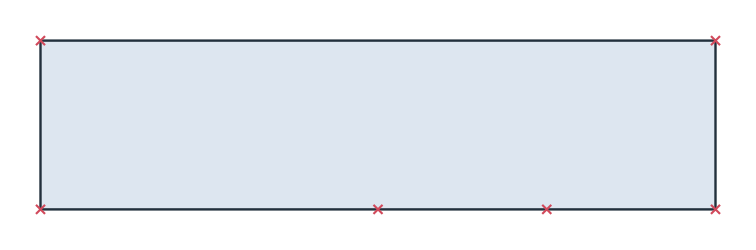
(a) Default tolerance
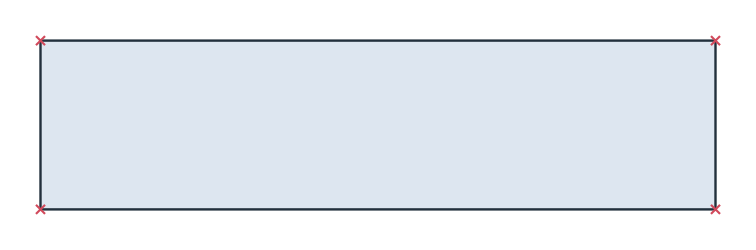
(b) Tolerance 10⁻⁵