Views and sheets
A drawing is one view. px.Sheet(dw_front, dw_top, ...) puts several views on one sheet at one scale. A view whose sketch lies on a standard plane takes its place itself, aligned with the front view, the drawing on px.XZ: the top view, on px.XY, below it, the view from the left to its right and the view from the right, on px.YZ, to its left. This is first-angle projection, and the sheet shows its symbol. The scale is the largest standard one at which the views and their dimensions
fit the sheet, A4 upright by default.
[1]:
import planex as px
Two views
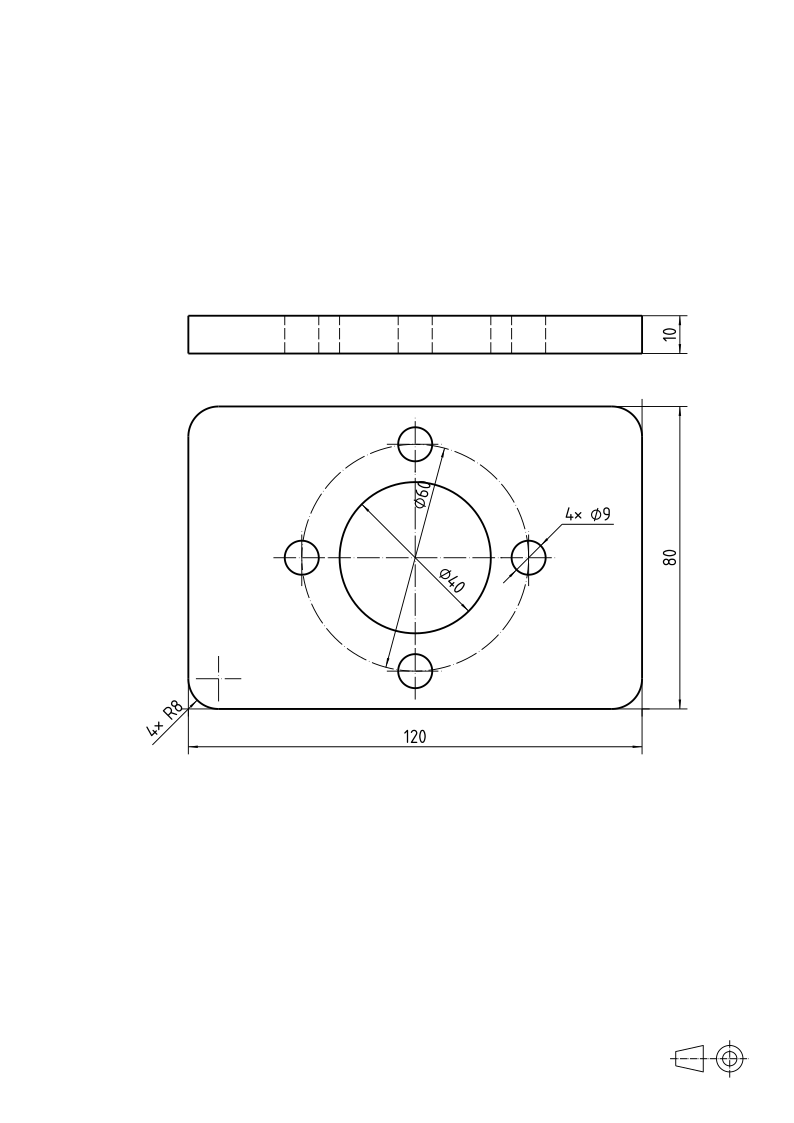
The bearing plate of A dimensioned drawing is 10 thick. Its front view is a sketch on px.XZ, a rectangle with the plate’s thickness as its one dimension: the length is already dimensioned in the top view, and a drawing dimensions each size once. The bore and the holes are hidden in the front view; Line with hidden=True draws their edges narrow and dashed. The top view is the plate’s sketch on px.XY:
[3]:
side = px.Sketch(px.XZ, auto_constraint=True)
side.Move((-60, 0), px.Fix).Rectangle(120, 10, id="side")
side.Constrain("side.Line.1", px.Horizontal)
side.Constrain("side.Line.2", px.Distance, 10, id="thickness")
front = px.Drawing(side, unit=px.mm)
for x in (-34.5, -25.5, -20, -4.5, 4.5, 20, 25.5, 34.5):
    front.Line([(x, 0), (x, 10)], hidden=True)
top = px.Drawing(plate, unit=px.mm).Center("bolt_circle", pitch=True)
px.Sheet(front, top)
[3]:
Other views
A view that is not on a standard plane, such as a view of an inclined face, is placed with sheet.Add(dw, at=...), its origin in the units of the first view. On the view it is seen from, Callout(tip, direction, letter) draws the arrow that says where from, and the view itself names its letter with ViewName. Measure(p, q) adds a length that no sketch holds.
Tables and notes
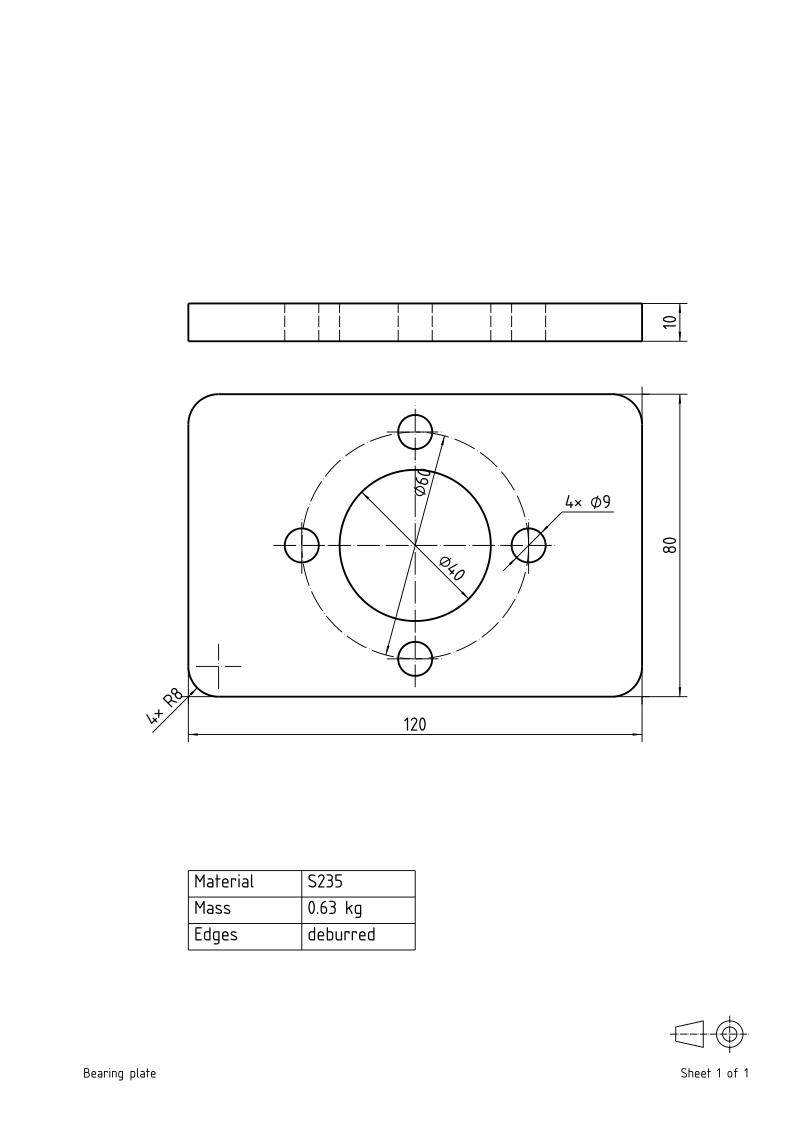
Table(rows, at=...) adds a table of data, its upper left corner at at in the units of the first view, here below the top view, its columns’ widths in millimeters on paper; Notes(left, right) writes texts in the sheet’s lower corners:
[4]:
sheet = px.Sheet(front, top)
sheet.Table([("Material", "S235"), ("Mass", "0.63 kg"), ("Edges", "deburred")], at=(-60, -140), widths=(30, 30))
sheet.Notes("Bearing plate", "Sheet 1 of 1")
sheet
[4]:
See Title blocks and files for frames, title blocks and the files a sheet writes.