Units
planex2d does not impose a unit system. A number is a length in whatever unit you choose, and an area is in that unit squared. The factors px.mm, px.cm, px.m, px.um, px.inch and px.mil state what a number means; with them, the geometry is in meters.
[1]:
import math
import planex as px
The same plate twice
The example is a plate of 80 × 50 mm with a hole of 10 mm diameter, drawn twice: once in plain numbers, counting in millimeters, and once with the factors, in meters:
[2]:
plain = px.QuickSketch().Rectangle(80, 50).Face() - px.Circle((40, 25), 5).Face()

mm = px.mm
metric = px.QuickSketch().Rectangle(80 * mm, 50 * mm).Face() - px.Circle((40 * mm, 25 * mm), 5 * mm).Face()
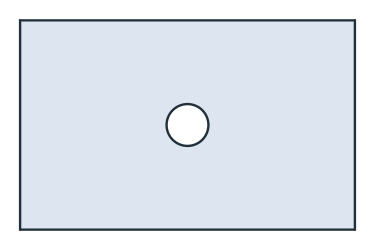
(a) Plain numbers: 80 × 50, area 3921.5
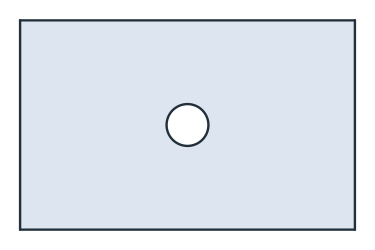
(b) With px.mm: 0.08 × 0.05, area 3.9215e-03
Both are the same plate, and only the numbers differ. The first area is in mm² and the second in m². Divided by px.mm**2, the second area is in mm² again:
[5]:
print("plain:", plain.mass)
print("metric:", metric.mass, "m²")
print("metric:", metric.mass / mm**2, "mm², exact", 80 * 50 - math.pi * 5**2)
plain: 3921.460183660255
metric: 0.003921460183660255 m²
metric: 3921.4601836602556 mm², exact 3921.460183660255
The factors
Factor |
In meters |
|---|---|
|
1 |
|
0.01 |
|
0.001 |
|
10⁻⁶ |
|
0.0254 |
|
2.54 · 10⁻⁵ (a thousandth of an inch) |
Where units come in
Files.
px.FromDXFreads the drawing’s unit from its header and returns its wires in meters;unit=sets the unit instead.px.WriteDXFwrites meters unlessunit=is given, for exampleunit=px.mm. KiCad boards are read in meters, andpx.WriteKiCadtakesunit=as well. See Files.Simulations. Material constants have to be in the same unit as the geometry. A part drawn in millimeters and solved in NGSolve needs a conductivity in W/(mm K), not W/(m K).
Resolution. planex2d resolves lengths down to about 10⁻¹⁴ relative to the coordinates, or 10⁻¹⁴ absolute for coordinates below 1. OpenCASCADE works with an absolute tolerance of 10⁻⁷, so after the export, a feature smaller than that, in the chosen unit, is lost. See Tolerances for details.