Open-end spanner
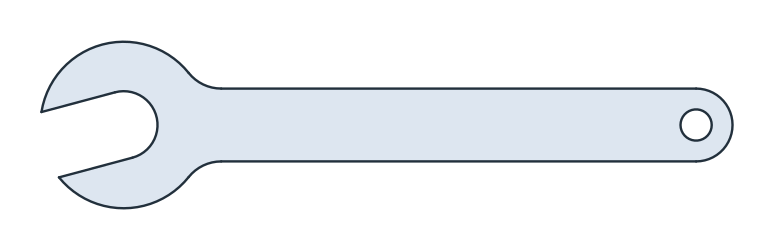
An open-end spanner turns a nut of 13 across its flats. Its jaw is turned 15° to the handle, so that the spanner, turned over, reaches the nut again in a tight space after a turn of 30°. As faces, the spanner is a head and a handle united, less the jaw and a hole to hang it by, with fillets where the handle meets the head. Model the spanner from the drawing in planex2d or in any CAD system, then check its area and centroid against the values at the end of the page. A solution in planex2d follows.

[1]:
import math
import planex as px
The head and the handle
The head is a disc of radius 16 around the jaw’s center, the origin. The handle is a Slot 110 long between the centers of its ends and 14 wide, from the origin along x, so that its far end is rounded with a radius of 7. px.Unify unites the two into one region (Figure 1):
[3]:
head = px.Circle((0, 0), 16).Face()
handle = px.QuickSketch().Slot(110, 14).Face()
body = px.Unify([head, handle])
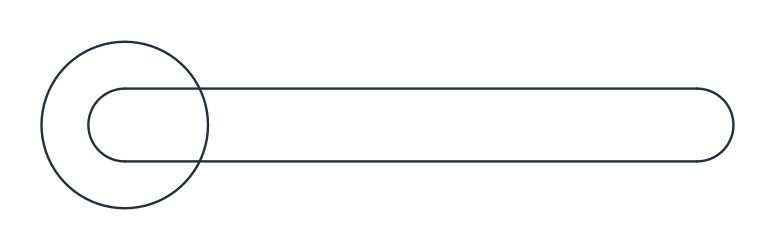
(a) The head and the handle
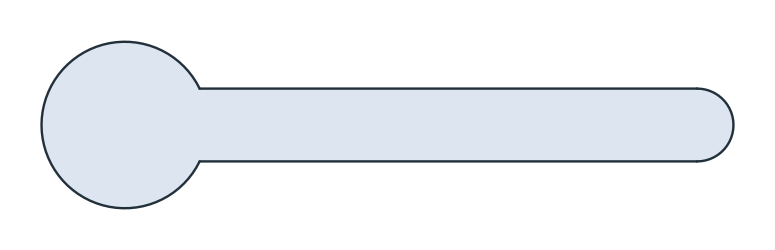
(b) United
The jaw and the hole
The jaw is a slot 13 wide, the nut’s width across its flats, from the jaw’s center out through the head, turned 15° from the handle’s axis. It points along 180° + 15°, and its round end at the center makes the bottom of the jaw. The hole to hang the spanner by, 6 across, is at the center of the handle’s end. Both are subtracted with - (Figure 2):
[5]:
t = math.radians(180 + 15)
jaw = px.QuickSketch().Move((0, 0), dir=(math.cos(t), math.sin(t))).Slot(30, 13).Face()
hole = px.Circle((110, 0), 6 / 2).Face()
spanner = (body - jaw - hole).Face()  # the one face of what is left
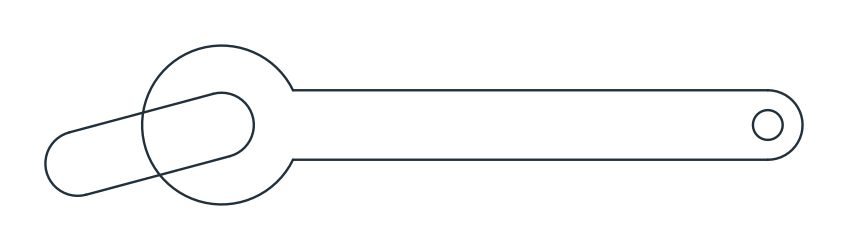
(a) The jaw and the hole on the body
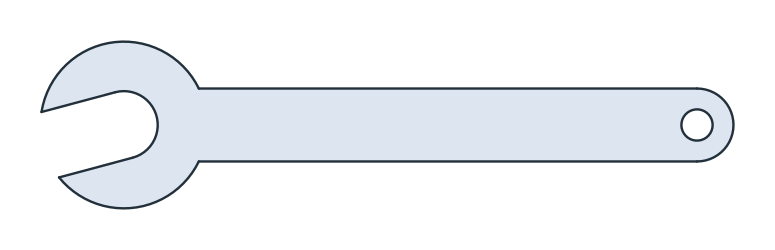
(b) Subtracted
The fillets
The corners where the handle’s edges meet the head are rounded with a radius of 8. vertices(near=) picks the corner nearest to a point, so the two are given roughly, and Fillet rounds just these two (Figure 3):
[7]:
corners = [spanner.vertices(near=(15, 7)), spanner.vertices(near=(15, -7))]
spanner.Fillet(corners, 8);
The checks
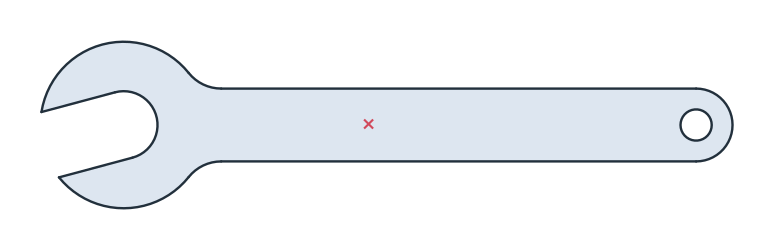
These are the area and the centroid of the spanner, with the jaw’s center at the origin and the handle along x, to compare with your own model (Figure 4):
[9]:
c = spanner.center
print("area", round(spanner.mass, 2), "mm²")
print("centroid", tuple(round(v, 2) for v in c[:2]))
area 1913.03 mm²
centroid (47.06, 0.19)
The spanner as DXF in millimeters, for another CAD system or a laser cutter:
[11]:
spanner.WriteDXF("open_end_spanner.dxf", unit=px.mm, scale=1) # scale=1: the numbers as they are
The spanner as DXF: open_end_spanner.dxf