Placing dimensions
The automatic layout puts every dimension somewhere readable. dw.Place(id, ...) puts one where it belongs instead: the number says where, and keywords say how. The examples use the bearing plate of A dimensioned drawing.
[1]:
import planex as px
Lengths
For a length, the number is the offset of its dimension line from the points it measures, in the sketch’s units. A positive offset moves the line away from the middle of the part and a negative one toward it, so a positive offset puts a dimension outside the part on every side. A dimension whose points lie on both sides of the middle takes the drawing’s axes instead, up for a horizontal one and to the right for a vertical one. The length is measured along the plate’s bottom edge and goes 25 below it, and the width is measured along its right edge and goes 25 to its right:
[3]:
dw = px.Drawing(plate, unit=px.mm).Center("bolt_circle", pitch=True)
dw.Place("length", 25).Place("width", 25)
[3]:
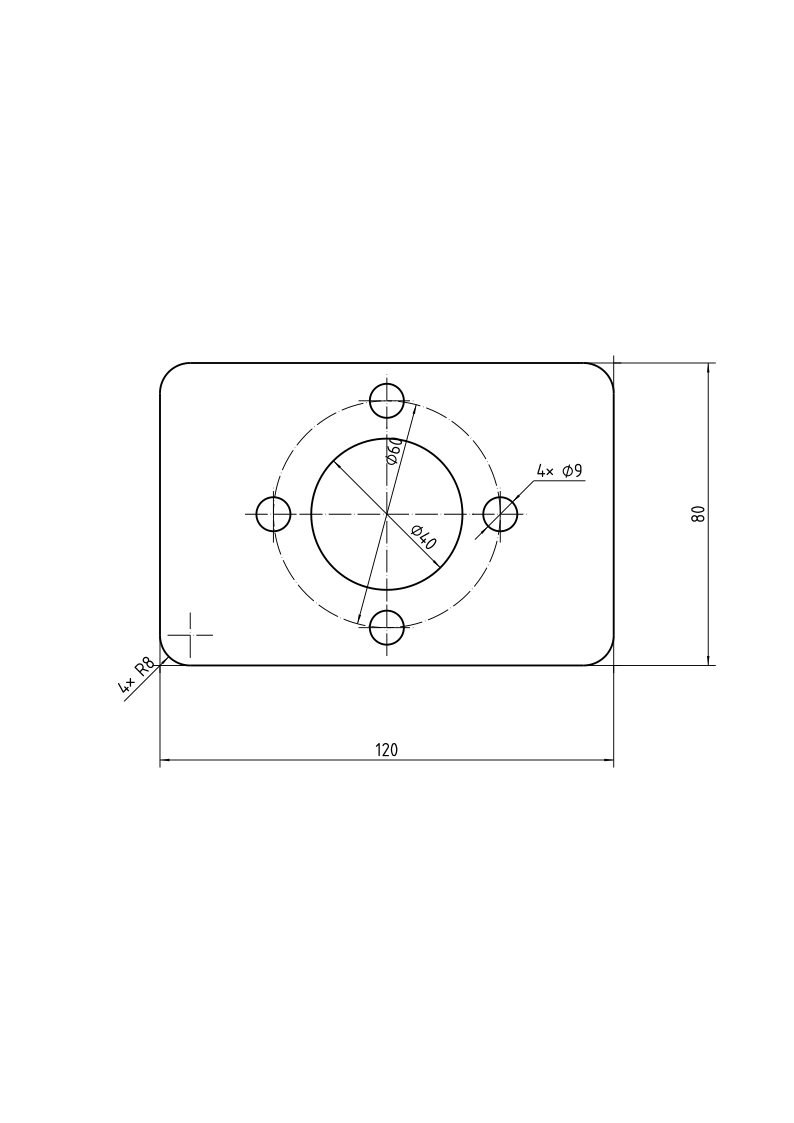
Radii and diameters
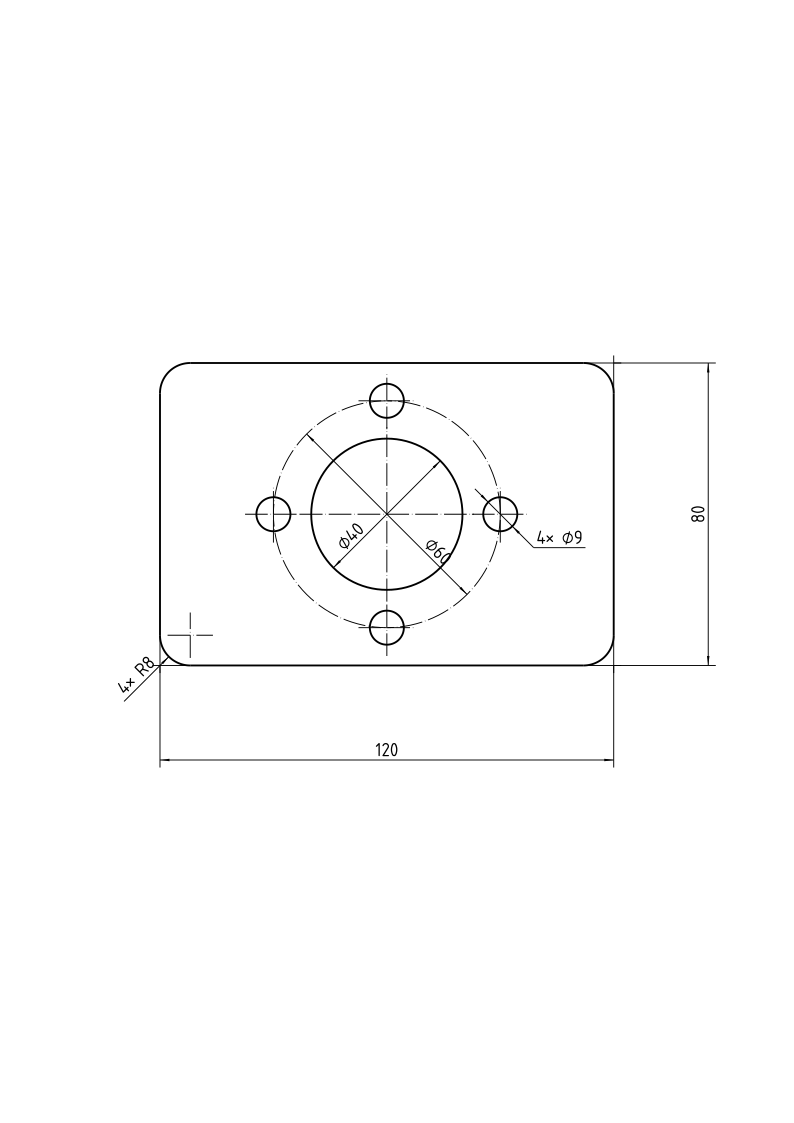
For a radius or a diameter, the number is the direction of its dimension line, in degrees from h, or a compass direction: "n", "ne", "e", "se", "s", "sw", "w" or "nw", north up the plane’s v. A small hole whose value does not fit inside goes on a leader by itself; leader=True asks for one. outside=True puts a radius’s arrow and value outside its arc, as for a small corner radius.
The bore’s diameter goes along its lower left diagonal, and the holes’ on a leader toward the lower right, away from the bore:
[4]:
dw.Place("bore_d", "sw").Place("hole_d", "se", leader=True)
[4]:
across= dimensions a diameter from outside, between extension lines at both ends, as in a side view of a turned part; its number is the dimension line’s offset.
Counts and texts
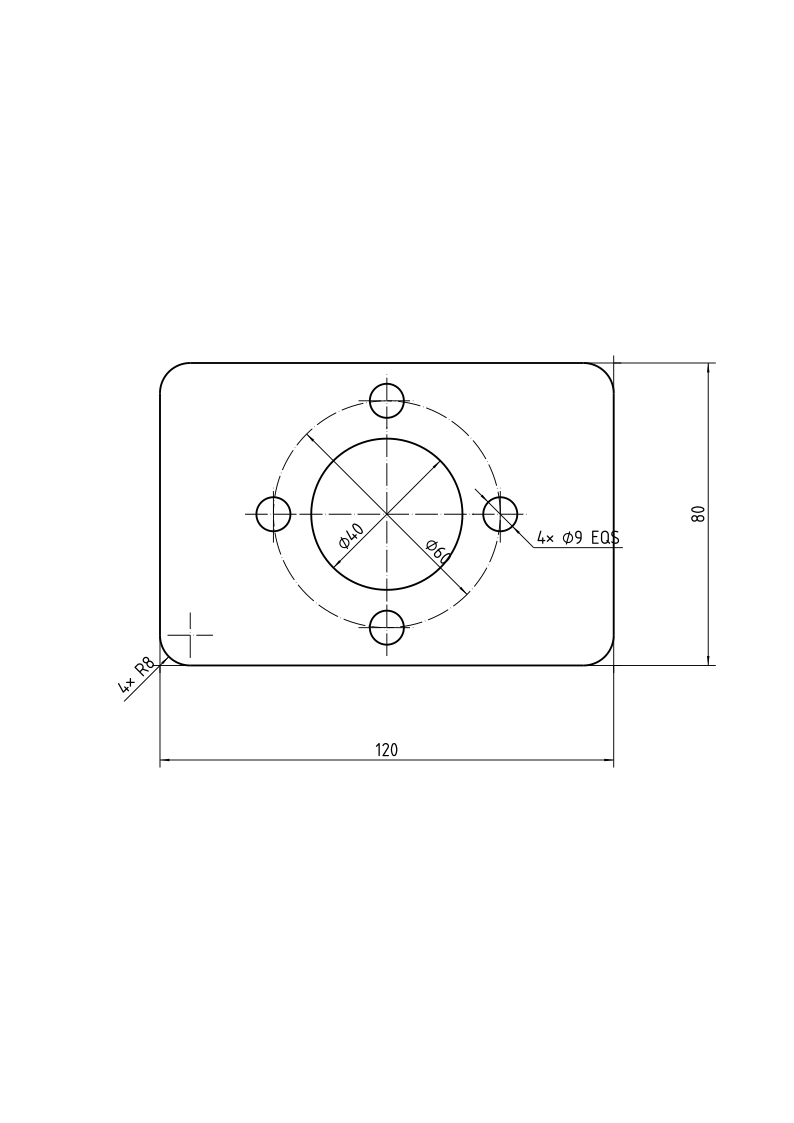
Equal features are dimensioned once: the count of “4×” comes from the sketch’s patterns and px.Equal partners. count= sets another, and count=1 writes none. suffix= adds a text after the value, such as “EQS” for holes spaced equally, and text= writes a text in place of the value, such as “M8” for a tapped hole, a thread size that takes no diameter sign. The plate’s holes are clearance holes, spaced equally:
[5]:
dw.Place("hole_d", "se", leader=True, suffix="EQS")
[5]:
Angles
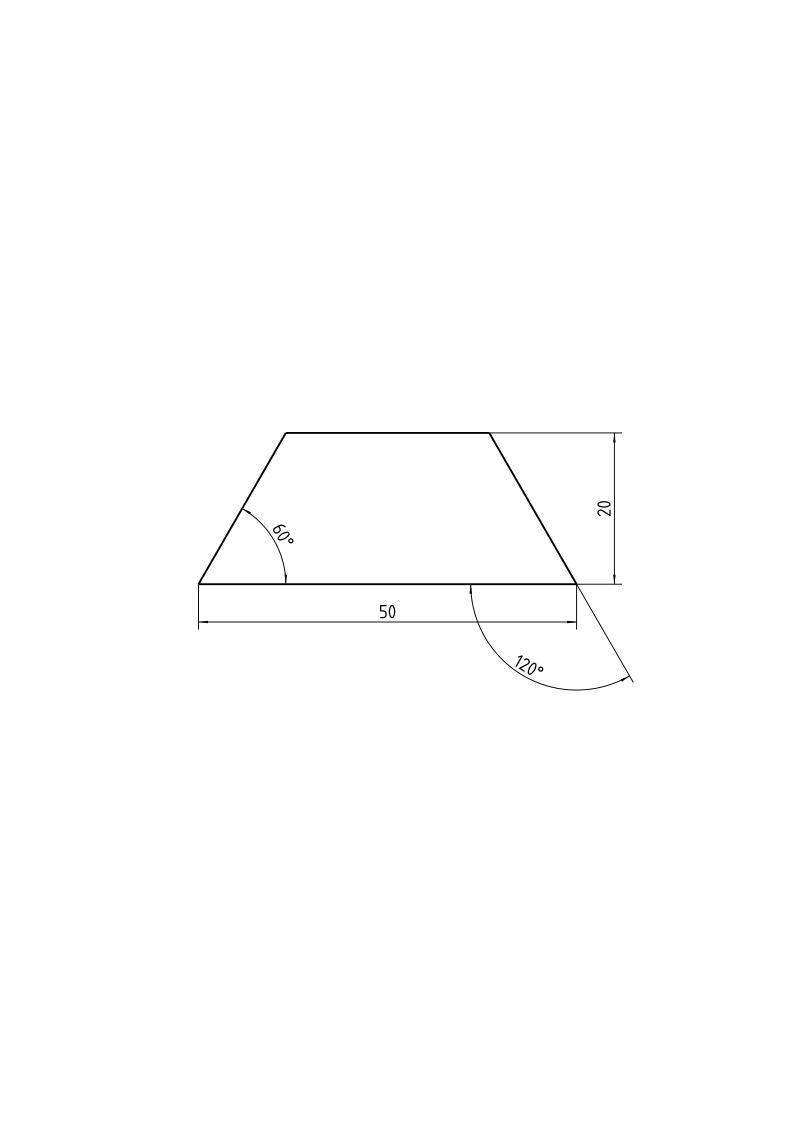
For an angle, the number is the radius of its arc. The example is the cross-section of a dovetail slide, 50 wide at its base, 20 high, with flanks at 60° to the base. supplement=True dimensions the angle on the other side of a line, 180° less the value: the right flank’s 60° to the base is drawn as its 120° to the base’s extension, the left one as it is:
[6]:
slide = px.Sketch(auto_constraint=True)
slide.Move((-25, 0), px.Fix).Line(50, 0, px.Horizontal, id="base")
slide.Line(-11.547, 20, id="right").Line(-26.906, 0, px.Horizontal, id="top").Close(id="left")
slide.Constrain("base", px.Distance, 50, id="base_l")
slide.Constrain("base", "top", px.Distance, 20, id="height")
slide.Constrain("base", "right", px.Angle, 60, id="flank")
slide.Constrain("left", "base", px.Angle, 60, id="flank_left")
print("status", slide.status, "| degrees of freedom", slide.dof)
px.Drawing(slide, unit=px.mm).Place("flank", 14, supplement=True)
status full | degrees of freedom 0
[6]:
See Center lines and axes for the center lines of circles and parts.