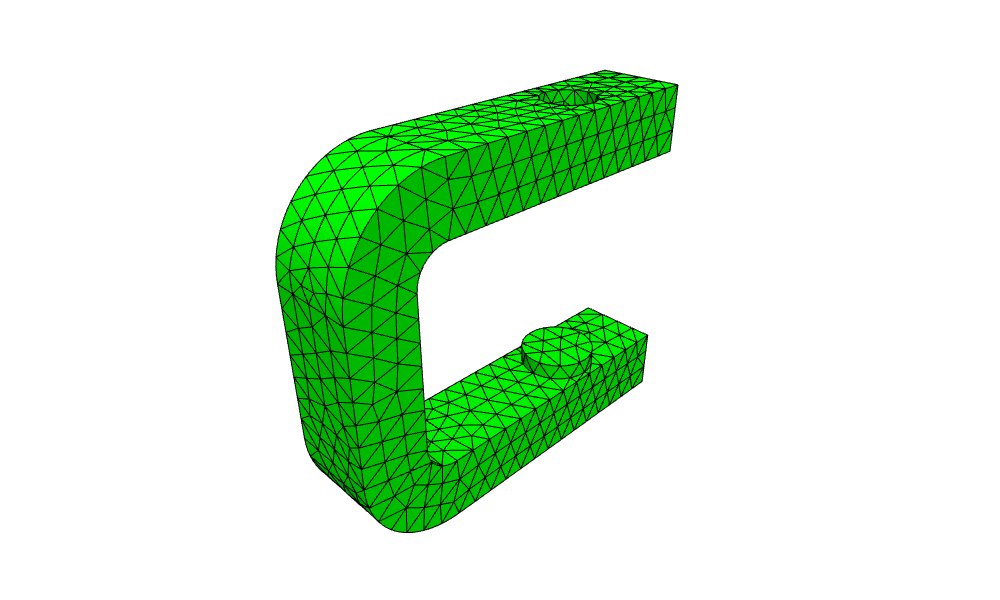
A C-clamp, step by step
Five numbers drive the frame of a C-clamp: the throat depth of 60, the jaw gap of 40, the wall thickness t = 12, the fillet radius r = 6 and the frame thickness b = 16. The profile is drawn with the pen, with every side a length along it and every corner a turn or an arc. All of them are computed from the five numbers, so changing a number changes the whole part. The profile is then extruded into the frame, drilled for the screw and given an anvil pad, with OpenCASCADE doing the 3D operations.
[1]:
import math
import netgen.occ as occ
from ngsolve_webgpu.jupyter import Draw
import planex as px
The profile
The sketch lies in the xz plane, with h along x and v along z, so its normal points along −y. W = t + depth is the width of the profile and H = gap + 2t its height. The pen starts at the end of the lower bend, heading along x, and runs once around counterclockwise. It draws the bottom, the lower tip, the lower jaw, the inner fillet of radius r into the throat and out of it, the upper jaw and tip, the top, and the outer bends of radius r + t around the same centers, so that the wall keeps
its thickness around the bend. Turn(90) turns the pen left for a square corner, and Arc(r, -90) is a fillet that turns it right, into the mouth. Every edge carries a name, which the faces of the solid take over below (Figure 1).
[3]:
depth, gap, t, r, b = 60, 40, 12, 6, 16
W, H = t + depth, gap + 2 * t

side = px.QuickSketch(px.Plane(normal=(0, -1, 0), axis=(1, 0, 0)))
side.Move((r + t, 0), dir=(1, 0))
side.Line(W - r - t, name="bottom").Turn(90).Line(t, name="lower tip").Turn(90)
side.Line(W - t - r, name="lower jaw").Arc(r, -90, name="lower fillet")
side.Line(gap - 2 * r, name="throat").Arc(r, -90, name="upper fillet")
side.Line(W - t - r, name="upper jaw").Turn(90).Line(t, name="upper tip").Turn(90)
side.Line(W - r - t, name="top").Arc(r + t, 90, name="upper bend")
side.Line(H - 2 * (r + t), name="rear").Arc(r + t, 90, name="lower bend")
face = side.Face()
print("the pen ends at", side.pen.position, "where it started")
the pen ends at (18.0, 0.0) where it started
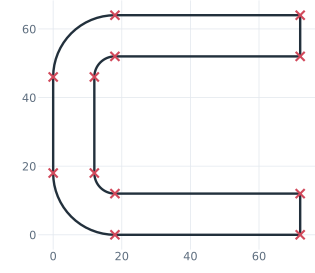
(a) The profile drawn with the pen
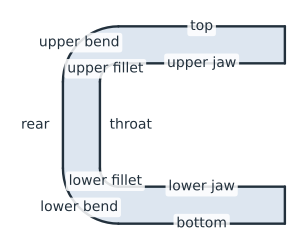
(b) The face, its edges named
Check
The area is that of the outer rectangle with two rounded corners minus the mouth with two rounded corners:
[5]:
k = 2 * (1 - math.pi / 4)
area = W * H - k * (r + t) ** 2 - (depth * gap - k * r**2)
print("area", face.mass, "exact", area)
area 2084.38934211693 exact 2084.38934211693
The frame
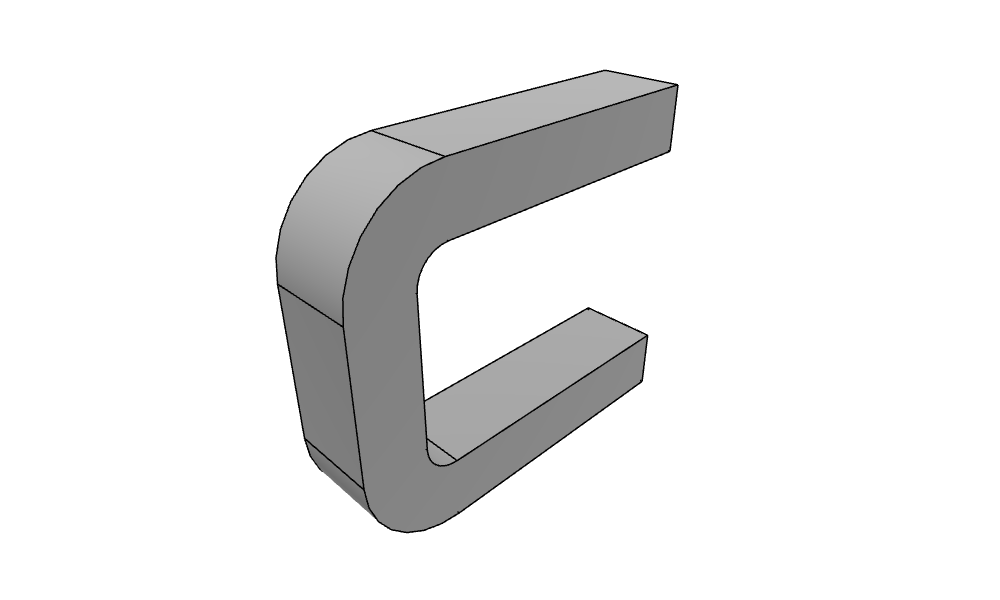
px.Pad extrudes the profile along its normal by b into an OpenCASCADE solid:
[6]:
frame = px.Pad(face, b)
Draw(frame)
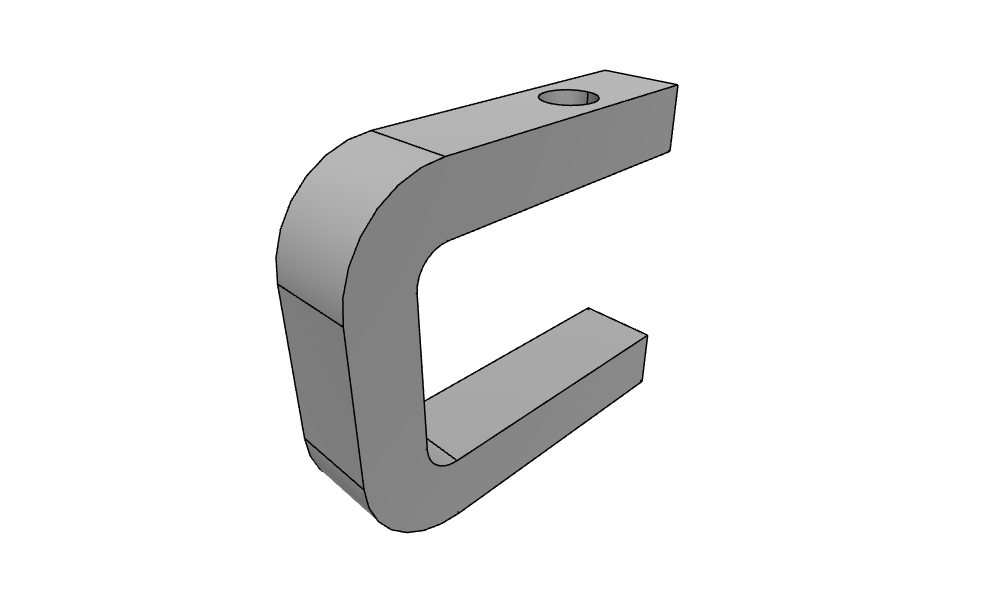
The screw hole
The screw hole, of diameter 10, is sketched on the top face of the frame, 20 from its tip. px.QuickSketch(face) puts the sketch on the face’s plane with its outward normal and projects the origin and the x axis onto it, so here h = x and v = y. px.Pocket cuts the hole from there down through the upper jaw.
[7]:
top = px.QuickSketch(frame.faces.Max(occ.Z))
frame = px.Pocket(frame, top.Circle(W - 20, -b / 2, 5), 2 * t)
Draw(frame)
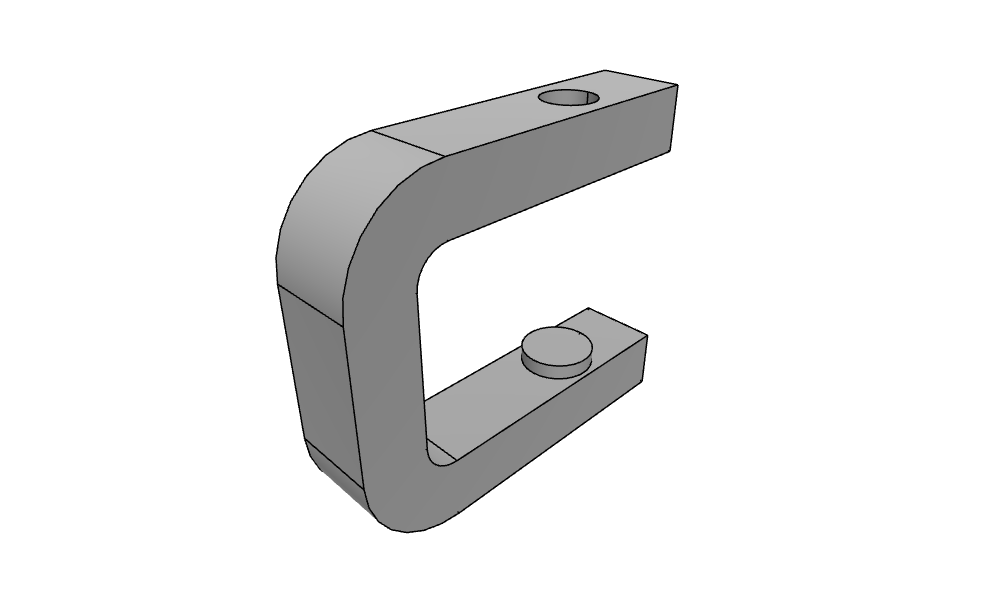
The anvil pad
The anvil pad, of diameter 14 and 3 high, is sketched on the face of the lower jaw, which is the face nearest to the screw axis at jaw height. px.Pad extrudes it out of that face, and the union adds it to the frame.
[8]:
jaw = px.QuickSketch(frame.faces.Nearest(occ.Pnt(W - 20, -b / 2, t)))
frame = frame + px.Pad(jaw.Circle(W - 20, -b / 2, 7), 3)
Draw(frame)
Check the volume
The volume is the profile times b, minus the hole through the upper jaw, plus the pad:
[9]:
print("volume", frame.mass, "exact", area * b - math.pi * 5**2 * t + math.pi * 7**2 * 3)
volume 32869.56579787165 exact 32869.56579787164
Mesh and export
The edge names of the profile become the names of the faces of the solid, so netgen’s mesh knows them as boundaries. The mesh is curved to third order, and the solid is written as a STEP file.
[10]:
print(sorted({f.name for f in frame.faces if f.name}))
['bottom', 'lower bend', 'lower fillet', 'lower jaw', 'lower tip', 'rear', 'throat', 'top', 'upper bend', 'upper fillet', 'upper jaw', 'upper tip']
[11]:
mesh = occ.OCCGeometry(frame).GenerateMesh(maxh=4)
mesh.Curve(3)
Draw(mesh)
frame.WriteStep("clamp.step")