Placing a sketch
A sketch draws in two coordinates, h and v, on a plane that can be positioned anywhere in 3D. The plane is given when the sketch starts: a coordinate plane, an origin with a normal and an axis, or a face of a solid. The edges of any solid can serve as references. A drawing call projects an edge it is given as a target into the sketch’s plane, and Project brings edges in as construction elements first, so that dimensions can refer to them. The faces of the sketch go back into a solid as cuts
or bosses.
The solids on this page are OpenCASCADE shapes, which come from netgen-mesher, an optional dependency of planex2d (pip install netgen-mesher).
[1]:
import netgen.occ as occ
from ngsolve_webgpu.jupyter import Draw
import planex as px
On a plane
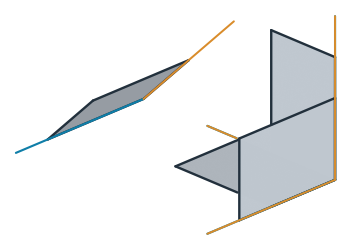
px.QuickSketch(plane) starts on px.XY (the default), px.YZ, px.ZX, or a px.Plane(origin=, normal=, axis=) with its normal and its h direction. netgen’s occ.Axes is accepted as well. v completes them, so that h, v and the normal turn like x, y and z. Figure 1 shows the same rectangle on four planes, with h in blue and v in amber:
[3]:
planes = {"XY": px.XY, "YZ": px.YZ, "ZX": px.ZX,
          "tilted": px.Plane(origin=(60, 0, 0), normal=(1, 0, 1), axis=(0, 1, 0))}
plates = {k: px.QuickSketch(p).Rectangle(30, 20) for k, p in planes.items()}
for k, s in plates.items():
    print(k, "normal", s.Normal(), "(30, 20) at", s.ToXYZ((30, 20)))
XY normal (0.0, 0.0, 1.0) (30, 20) at (30.0, 20.0, 0.0)
YZ normal (1.0, 0.0, 0.0) (30, 20) at (0.0, 30.0, 20.0)
ZX normal (0.0, 1.0, 0.0) (30, 20) at (20.0, 0.0, 30.0)
tilted normal (0.7071067811865476, 0.0, 0.7071067811865476) (30, 20) at (45.85786437626905, 30.0, 14.142135623730951)
On a face of a solid
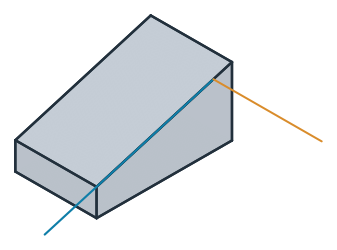
The example is a wedge block 100 long and 60 wide, 50 high at the back and 20 at the front. Its profile is drawn on the xz plane, with the normal along −y, and px.Pad extrudes it by 60 along that normal. The solid’s faces carry the names of the profile edges they come from, so its sloped face is block.faces["slope"] (see Pad and Pocket):
[5]:
profile = px.QuickSketch(px.Plane(normal=(0, -1, 0), axis=(1, 0, 0)))
profile.Line((100, 0), name="bottom").Line((100, 20), name="front")
profile.Line((0, 50), name="slope").Close(name="back")
block = px.Pad(profile, 60)
slope = block.faces["slope"][0]
px.QuickSketch(slope) sketches on the plane of the face, with its normal pointing out of the solid. The global origin and the global x axis are projected onto the face, so h runs down the slope and v across it (Figure 2). See The plane in 3D for the rule. The origin lies wherever the projection puts it, here on the edge at y = 0, which does not matter: everything below is placed from the solid’s own edges.
[6]:
top = px.QuickSketch(slope)
plane = px.Plane(top)
print("origin", plane.origin)
print("h", plane.h, "v", plane.v, "normal", plane.normal)
origin (13.761467889908259, 0.0, 45.87155963302753)
h (0.9578262852211514, 0.0, -0.28734788556634544) v (-0.0, 1.0, 0.0) normal (0.28734788556634544, 0.0, 0.9578262852211514)
Drawing against the solid
Project lays the edges of a solid’s face flat onto the sketch as construction elements. Without id=, they are named Projection.N.Edge.X; with id="slope", they are slope.Edge.0 to slope.Edge.3. The number is netgen’s own edge number, the one that netgen’s 3D view shows as “Edge N” when an edge of the face is clicked (Figure 3). Here, slope.Edge.1 is the top edge and slope.Edge.0 the lower one:
[8]:
Draw(slope)
top.Project(slope, id="slope")
for k in range(4):
    print(f"slope.Edge.{k}", top.Geometry(f"slope.Edge.{k}")["length"], "long, middle at",
          top.ToXYZ(top.Location(f"slope.Edge.{k}.mid")))
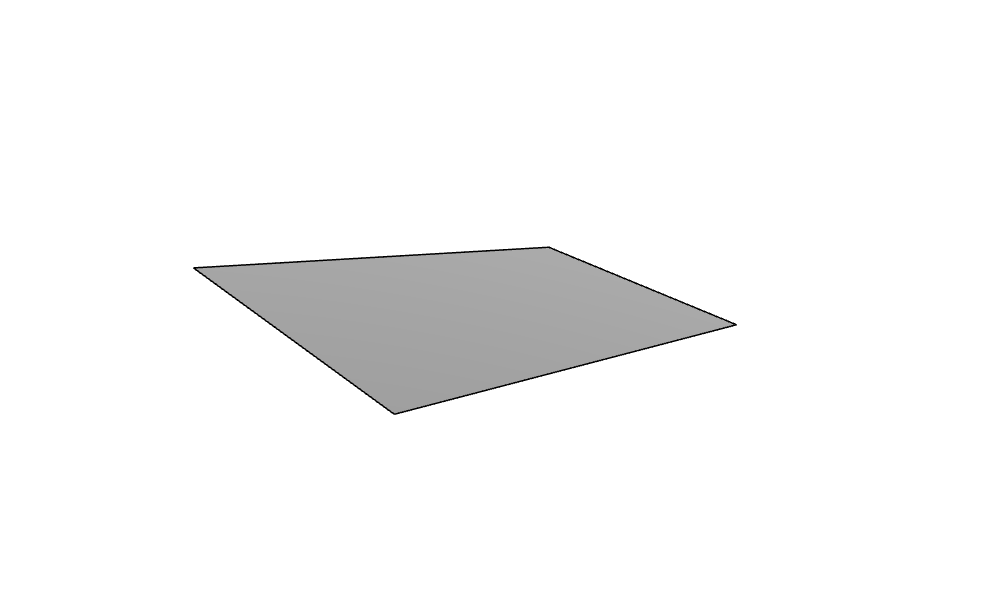
slope.Edge.0 60.0 long, middle at (100.00000000000001, -30.0, 20.000000000000004)
slope.Edge.1 60.0 long, middle at (0.0, -30.0, 50.00000000000001)
slope.Edge.2 104.40306508910551 long, middle at (50.0, 0.0, 35.00000000000001)
slope.Edge.3 104.40306508910551 long, middle at (50.0, -60.0, 35.00000000000001)
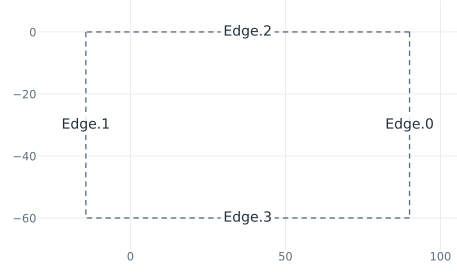
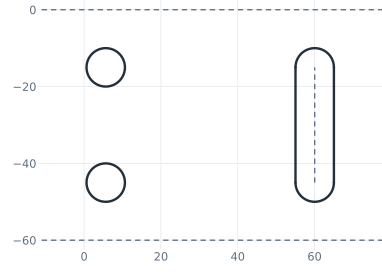
The points of every projected element place what comes next. Move(point, dir=) starts at a point of an element, and Move(l) moves the pen along. Two holes of diameter 10 lie 20 below the top edge and 15 in from the sides, and a slot 10 wide lies around a center line 30 long, 30 up the slope from the middle of the lower edge (Figure 4). The drawing is a function, so that it can be placed onto another face later:
[10]:
def pattern(s, holes_from, slot_from, holes_at, slot_at):
    s.Move(f"{holes_from}.mid", dir=(1, 0)).Move(holes_at)
    s.Turn(90).Move(15).Circle(5, name="hole")
    s.Turn(180).Move(30).Circle(5, name="hole")
    s.Move(f"{slot_from}.mid", dir=(-1, 0)).Move(slot_at)
    s.Turn(90).Move(15).Turn(180).Line(30, id="midline", construction=True)
    s.Offset("midline", 5, id="slot", name="slot")
    s("slot").construction = False
    return s


pattern(top, "slope.Edge.1", "slope.Edge.0", 20, 30)
for e in top(name="hole"):
    print(e.id, "center in 3D", top.ToXYZ(top.Location(f"{e.id}.center")))
Sketch.6.Circle.1 center in 3D (19.15652570442303, -15.0, 44.2530422886731)
Sketch.6.Circle.2 center in 3D (19.15652570442303, -45.0, 44.2530422886731)
Back into the solid
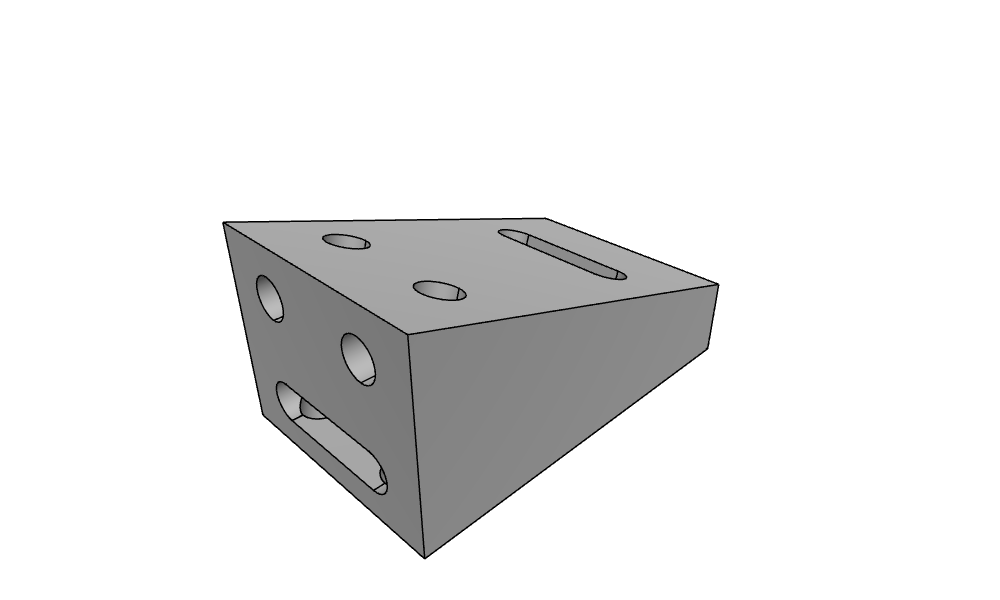
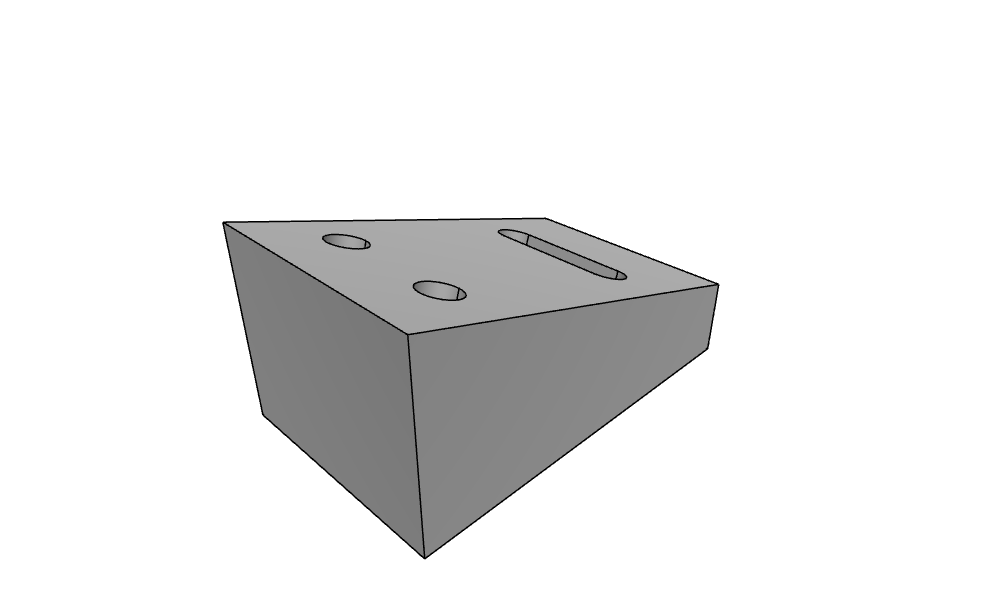
px.Pocket cuts the faces of the sketch into the block, against the normal, and until=px.last runs them through to the last face they cross. The names of the holes and the slot come through as the names of the faces they cut (Figure 5):
[12]:
bracket = px.Pocket(block, top, until=px.last)
print(sorted({f.name for f in bracket.faces if f.name}))
Draw(bracket)
['back', 'bottom', 'front', 'hole', 'slope', 'slot']
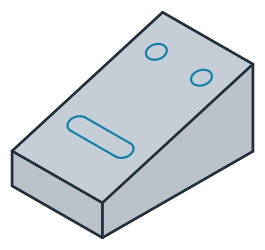
(a) The sketch on the slope
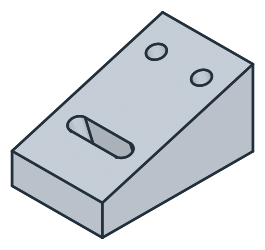
(b) Cut through the block
The same drawing on another face
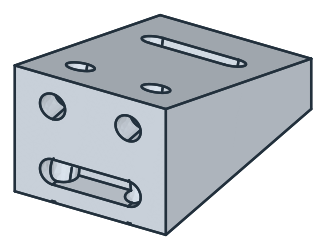
The back face is 50 high. The holes go 12 below its top edge and the slot 12 above its lower edge, and both are pockets 10 deep. The pattern measures down the face along h, as on the slope. On the back face, the global x axis is the normal itself, so by the rule h would run along y. px.Plane(back, axis=(0, 0, -1)) gives h downward instead. This is where the axis= of px.Plane is needed. After the projection, the top edge of the back face is back.Edge.0 and its lower edge is
back.Edge.1 (Figure 6):
[14]:
back = block.faces["back"][0]
rear = px.QuickSketch(px.Plane(back, axis=(0, 0, -1)))
rear.Project(back, id="back")
pattern(rear, "back.Edge.0", "back.Edge.1", 12, 12)
bracket = px.Pocket(bracket, rear, 10)
print("normal", rear.Normal())
Draw(bracket)
normal (-1.0, -0.0, -0.0)