Meshing a face
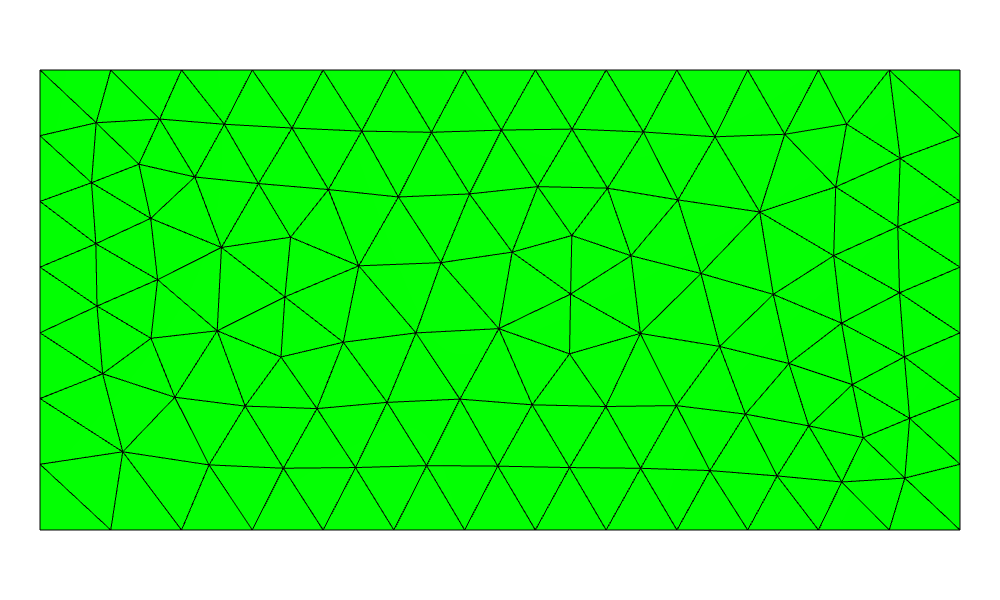
A planex2d face goes to netgen in one call, px.OCCGeometry(face). The name of the face becomes the material of the mesh, and the names of its edges become the boundary names. The smallest example is a plate meshed by netgen with an element size of 0.3:
[1]:
import ngsolve as ngs
from ngsolve_webgpu.jupyter import Draw
import planex as px

plate = px.QuickSketch().RectangleC(4, 2).Face()
plate.name = "plate"
mesh = ngs.Mesh(px.OCCGeometry(plate).GenerateMesh(maxh=0.3))
print(mesh.GetMaterials(), mesh.ne, "elements")
Draw(mesh)
('plate',) 200 elements
A named channel
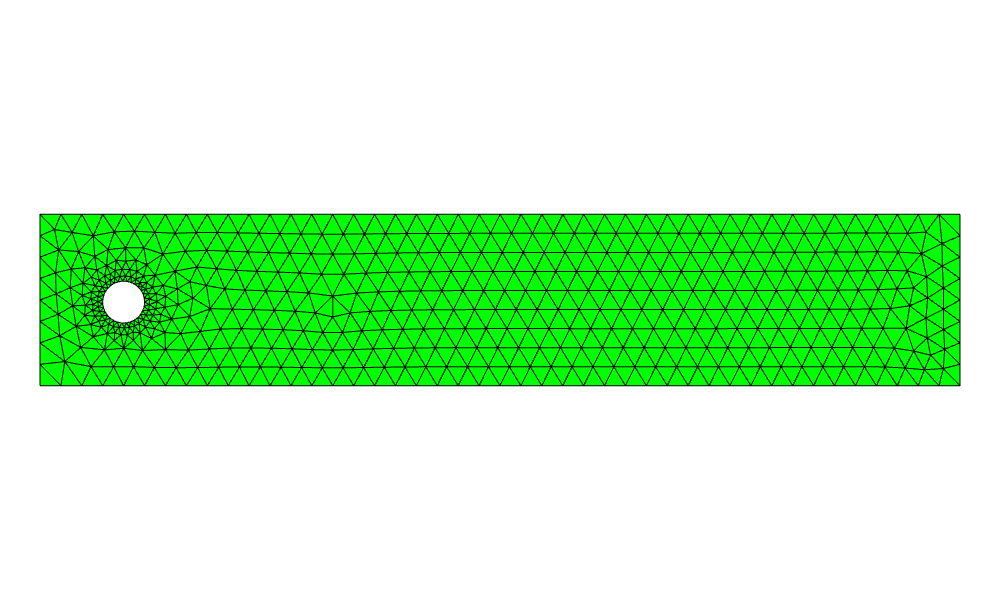
The example is the channel of the flow around a cylinder benchmark: 2.2 long and 0.41 high, with a cylinder of radius 0.05 at (0.2, 0.2). Its walls, inlet, outlet and cylinder are named while they are drawn:
[2]:
s = px.QuickSketch().Line(2.2, name="wall").Line(0, 0.41, name="outlet")
channel = s.Line(-2.2, 0, name="wall").Close(name="inlet").Face()
cylinder = px.QuickSketch().Circle(0.2, 0.2, 0.05, name="cyl", maxh=0.01).Face()
fluid = channel - cylinder
fluid.name = "fluid"
The cylinder’s maxh=0.01 refines the mesh around it, and Curve places the element edges onto the circle.
[4]:
mesh = ngs.Mesh(px.OCCGeometry(fluid).GenerateMesh(maxh=0.05))
mesh.Curve(3)
print(mesh.GetMaterials(), sorted(set(mesh.GetBoundaries())))
Draw(mesh)
('fluid',) ['cyl', 'inlet', 'outlet', 'wall']
A potential flow
NGSolve solves for a potential of 1 on the inlet and 0 on the outlet, with no flow through the walls and the cylinder.
[5]:
fes = ngs.H1(mesh, order=3, dirichlet="inlet|outlet")
u, v = fes.TnT()
a = ngs.BilinearForm(ngs.grad(u) * ngs.grad(v) * ngs.dx).Assemble()
phi = ngs.GridFunction(fes)
phi.Set(1, definedon=mesh.Boundaries("inlet"))
phi.vec.data += a.mat.Inverse(fes.FreeDofs()) * (-a.mat * phi.vec)
Draw(phi)
What flows in flows out, up to the discretization error of the flux:
[6]:
n = ngs.specialcf.normal(2)
flow = ngs.BoundaryFromVolumeCF(ngs.grad(phi)) * n
flux = {b: ngs.Integrate(flow, mesh, ngs.BND, definedon=mesh.Boundaries(b))
        for b in ("inlet", "outlet")}
print(flux, sum(flux.values()))
{'inlet': 0.183021197558013, 'outlet': -0.1830168795451536} 4.31801285938338e-06
Several regions
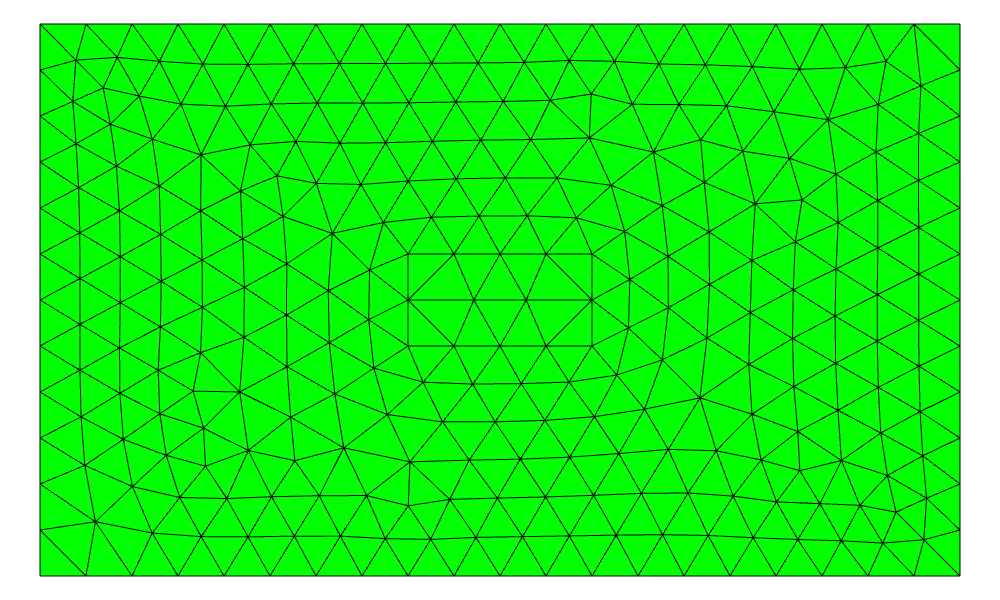
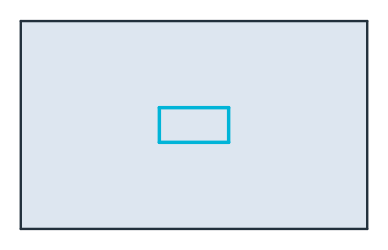
px.Glue combines faces so that they share their common edges. Where they overlap, the overlap becomes a face of its own and takes the properties of the first part. An iron core listed first and glued into the air around it therefore gives the core with its name and the air with a hole. The highlighted outline of the core is stored once and belongs to both faces.
[7]:
air = px.QuickSketch().RectangleC(10, 6, name="outer").Face()
iron = px.QuickSketch().RectangleC(2, 1).Face()
air.name, iron.name = "air", "iron"
regions = px.Glue([iron, air])
print(sorted((f.name, f.mass) for f in regions.faces), len(regions.edges), "edges")

mesh = ngs.Mesh(px.OCCGeometry(regions).GenerateMesh(maxh=0.5))
mesh.Curve(3)
print(mesh.GetMaterials(), sorted(set(mesh.GetBoundaries())))
Draw(mesh)
[('air', 58.0), ('iron', 2.0)] 8 edges
('iron', 'air') ['default', 'outer']
Refining towards a corner
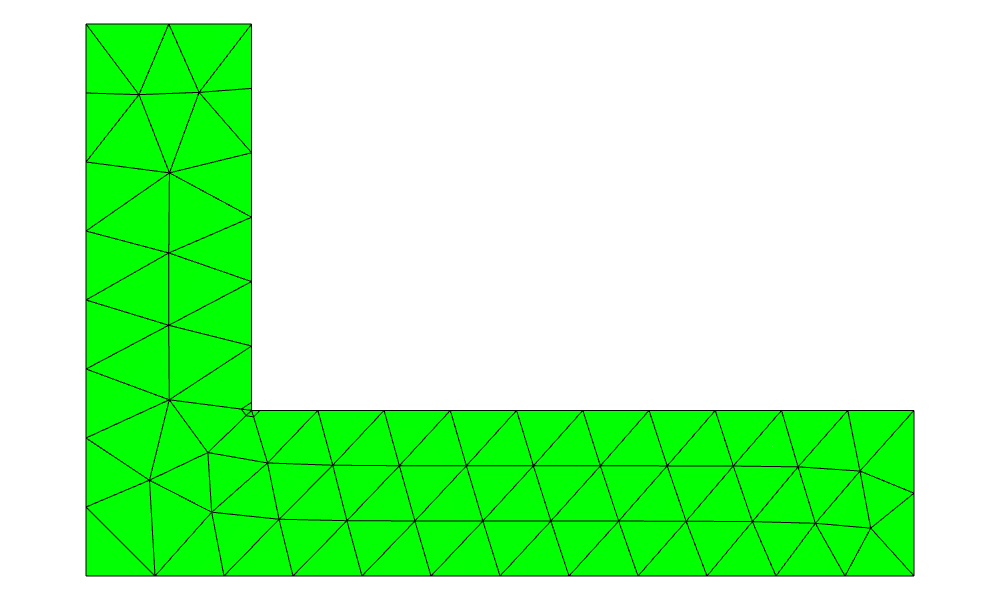
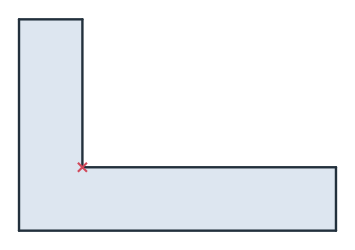
At the re-entrant corner of an L-shaped bracket, the stresses are singular. hpref on the corner vertex makes netgen refine the mesh geometrically towards it, and the vertex name becomes a point name in the mesh. The example is a bracket with legs of 60 and 40 and a thickness of 12, so the re-entrant corner lies at (12, 12). It is selected by its position, as on Naming and marking:
[9]:
s = px.QuickSketch().Line(60).Turn(90).Line(12).Turn(90).Line(48)
bracket = s.Turn(-90).Line(28).Turn(90).Line(12).Close().Face()
corner = bracket.vertices(near=(12, 12))
corner.name = "corner"
corner.hpref = 1

mesh = ngs.Mesh(px.OCCGeometry(bracket).GenerateMesh(maxh=5))
n = mesh.ne
mesh.RefineHP(3)
mesh.Curve(3)
print(n, "->", mesh.ne, "elements, named points", [p for p in set(mesh.GetBBoundaries()) if p != "default"])
Draw(mesh)
96 -> 108 elements, named points ['corner']
Export options
px.OCCGeometry takes the cleanup and fitting options of every export (see Export options). They matter when the geometry comes from data rather than from a sketch. A cylinder that arrives as a polygon of 64 lines, from a DXF file or a scan, puts a mesh node on each of its vertices. fit_arcs replaces the lines by arcs on the way out, so netgen meshes two arcs instead:
[11]:
import math

turns = [2 * math.pi * k / 64 for k in range(64)]
points = [(0.2 + 0.05 * math.cos(turn), 0.2 + 0.05 * math.sin(turn)) for turn in turns]
polygon = channel - px.Face([px.FromPolyline(points, closed=True, name="cyl")])
for fit in (False, dict(tol=1e-4, max_edge_length=0.01)):
    geo = px.OCCGeometry(polygon, fit_arcs=fit)
    print(len(geo.shape.edges), "edges,", ngs.Mesh(geo.GenerateMesh(maxh=0.05)).ne, "elements")
68 edges, 1160 elements
6 edges, 836 elements