Small gaps
Ends that should meet but miss each other by a small distance keep a wire open. CloseGaps(tol) moves them together.
[1]:
import planex as px
A square that does not close
The example is a unit square whose right side starts 10⁻⁴ above the end of the bottom (Figure 1a). Magnified at that corner, the two open ends are marked (Figure 1b). Wire.Add refuses an edge that misses the wire’s end, so the four loose edges go through px.Wires, which chains them into one open wire.
[3]:
corners = [((0, 0), (1, 0)), ((1, 1e-4), (1, 1)), ((1, 1), (0, 1)), ((0, 1), (0, 0))]
(w,) = px.Wires([px.Line(a, b) for a, b in corners])
print(w.IsClosed(), w.OpenEnds())
False [(0, False), (3, True)]
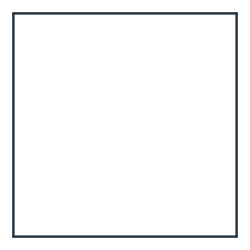
(a) The wire
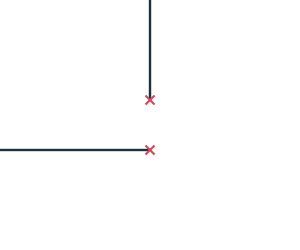
(b) Magnified at (1, 0)
Closed with a tolerance of 10⁻³, the two ends meet in one vertex, marked in the same magnified view, and the wire bounds a face (Figure 2). The ends meet halfway, at (1, 5·10⁻⁵), so the area is 1 − 5·10⁻⁵.
[5]:
w.CloseGaps(1e-3)
square = w.Face()
print(w.IsClosed(), square.mass)
True 0.99995
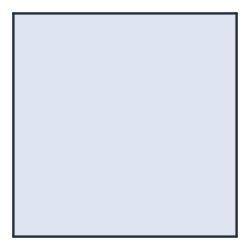
(a) The face
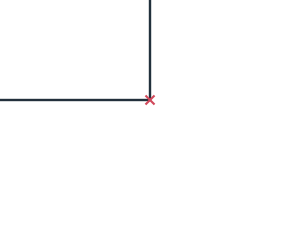
(b) Magnified at (1, 0)
On export and when reading
The exports take close_gaps_smaller, and FromDXF takes tol for the same step:
[7]:
print(w.Simplified(close_gaps_smaller=1e-3).IsClosed())
True