Properties
Faces and edges of a result take a name, a color and mesh sizes. planex2d keeps these properties through the operations that follow, and the STEP file keeps the names and the mesh sizes. Sizes are in millimeters.
The editor’s simulations use the names and the largest element sizes. A named edge or hole is the place a support or a load is set on, and it keeps that name after a change of the part. The mesh takes a face’s largest element size in place of the simulation’s default and refines along an edge with a size of its own. A changed name or size marks the simulations of the result out of date. Outside the editor, a script reads the STEP file with planex2d, netgen meshes the part with the sizes set here, and the names become the regions and boundaries that materials, supports and loads refer to.
The pictures on this page show the connecting rod from the tour of the editor, whose face is named steel and whose bores are named big end and small end.
Setting properties
Select a result in the tree, here the rod’s last operation, Subtract.2.
Click Properties in the toolbar.
Click an edge, or inside a face, of the result. The panel opens for it.
Fill in the fields and click OK.
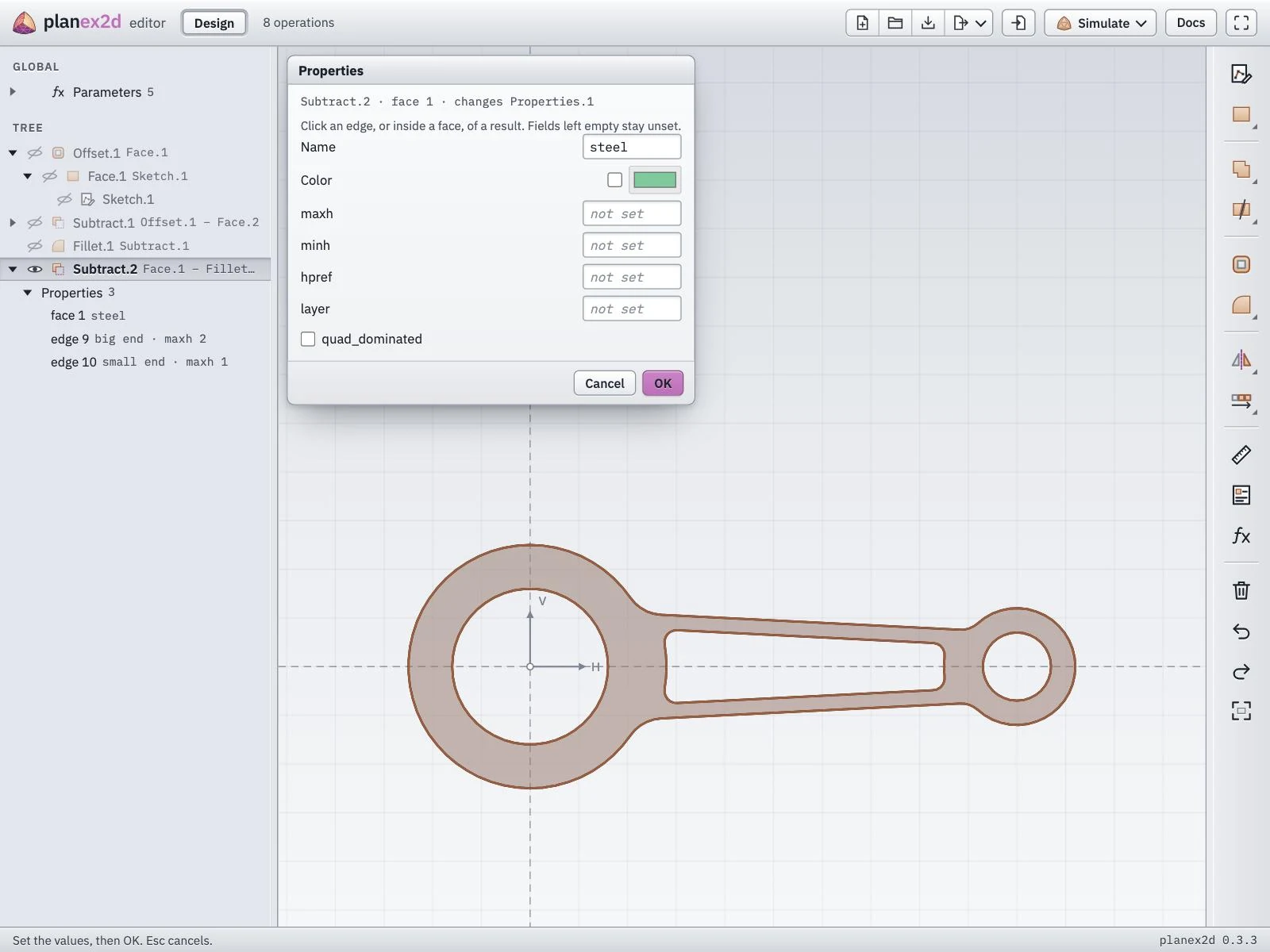
The rod’s face named steel, opened again with Properties.
The fields:
Name. For a face its material or region, for an edge its boundary.
Color. The color of the face or edge in the view.
Mesh sizes for netgen. maxh is the largest element size along the edge or in the face, and hpref refines the mesh toward it. minh and layer set netgen’s properties of the same names. The editor’s simulations use maxh only.
For an edge. partition gives points along the edge that the mesh has to take, as fractions between 0 and 1, and Continue across its ends sets the same properties on the whole chain the edge belongs to.
For a face. quad_dominated asks netgen for a mesh of quadrilaterals.
Fields left empty stay unset.
The Properties folder
Every Properties call becomes a row in a Properties folder under its result, one row per face or edge, with the values set. A click with Properties on an edge or face that already has properties opens that row again, with its values filled in, and × on a row removes it.
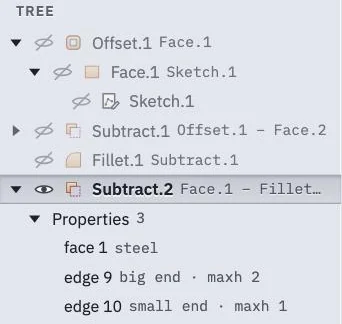
The rod’s three properties, in the Properties folder of Subtract.2.
See Names and colors and Meshing a face in the planex2d docs for how the names and mesh sizes reach a mesh.