Tools / Beam calculator
Beam calculator
Calculate the deflection, bending moment, shear force and bending stress of a beam online and for free, with a standard profile or any section from a DXF, SVG or STEP file. planex2d solves it in this tab with Python, running on Pyodide/ngapp. Nothing is uploaded.
The beam can rest on several pinned and fixed supports, as a simple span, a cantilever, a continuous beam or with an overhang, and carry point, uniform and partial loads. The results go into a PDF report or a CSV table.
- Any cross-section
- Runs in your browser
- Built on the planex2d library
Results
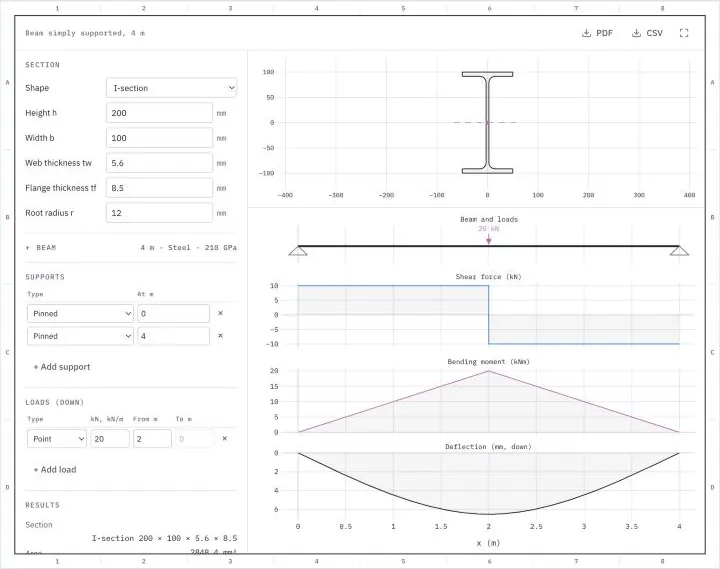
Change a setting and the beam is solved again. Positions count from the left end in meters, loads point down, and a point load stands at its "From" position. A support at the end moves along when the length changes. The PDF holds the section, the results and the diagrams on an A4 sheet, the CSV file the shear force, bending moment, slope and deflection at 201 points along the beam.
What the beam calculator computes
The shear force, bending moment, slope and deflection along a straight beam, and the bending stress in its section.
A beam carries its loads to its supports by bending. How far it bends and how highly it is stressed depend on its section, its length, its supports and its loads. The calculator computes the section's properties from its exact outline and solves the beam for any arrangement of supports and loads along it.
The section
The section is a standard profile drawn from its sizes, with its root radii, or any outline from a DXF, SVG, STEP or BREP file, read as in the calculator. The standard profiles are the I-section, the channel, the angle, the rectangle, the round bar and the round and rectangular tube. The beam bends about the horizontal axis through the section's centroid, so the second moment of area Ix about that axis governs it. For an I-section drawn upright, as in the default, that is the strong axis, which European steel tables call y.
Supports
The supports are a table of positions along the beam, each pinned or fixed. A pinned support, a pin or a roller, holds the beam up but lets it turn, and a fixed support also stops it from turning. Two pinned supports at the ends make a simply supported beam, one fixed support at an end a cantilever, and a support inside the beam a second span or an overhang. A beam on more supports than it needs to stand, such as one fixed at both ends or one continuous over three supports, is statically indeterminate, and its reactions follow from its deformation as well as from equilibrium. The calculator solves such beams as well. A beam that could still turn or move, such as one on a single pinned support, is refused.
Loads
A point load acts at one position, a uniform load along the whole beam and a partial load along a stretch of it. Loads point down, in kN for a point load and in kN/m for the others, and a negative value points up. With its own weight switched on, the beam also carries ρ g A along its length, from the density ρ and the section's area A.
Bending stress
For a section that is symmetric about a vertical axis, the bending stress is σ = M y / Ix, with y measured from the centroid. Any other section, such as an angle, also bends sideways under a vertical load, and the stress is σ = M (Iy y − Ixy x) / (Ix Iy − Ixy²), with the product of inertia Ixy. The calculator evaluates the stress along the whole outline of the section and reports the largest tensile and compressive values.
Units
Positions and the beam's length are in meters, the section's sizes in millimeters, loads in kN and kN/m, and Young's modulus in GPa. The results give forces in kN, moments in kNm, stresses in MPa and deflections in millimeters. A section file is read in the unit it names and converted to millimeters.
How the beam calculator works
The calculator is a small page around the planex2d Python library. It runs the same code you get with pip install planex2d, compiled to WebAssembly and loaded with Pyodide/ngapp.
- Load
The page loads Python and planex2d into this tab. Your browser keeps both in its cache, so later visits start faster.
- Solve
planex2d computes the section, and the beam is solved for the settings, again whenever one changes.
- Save
The results are saved as a PDF report or a CSV table, made in the tab as well.
The bending line
The bending moment is written with Macaulay brackets as one expression along the beam, with an unknown reaction at every support and an unknown moment at every fixed one. Integrating EI w″ = −M twice gives the deflection with two constants. No deflection at every support, no rotation at every fixed one and the equilibrium of forces and moments give a small linear system for the reactions, the moments and the constants. The result is exact for every arrangement of supports and loads. The tests compare it with the textbook formulas, such as P L³/(48 EI) for a central load on a simply supported beam, w L⁴/(384 EI) for a uniform load on a beam fixed at both ends, and the reactions 3 w l/8, 5 w l/4 and 3 w l/8 of a beam continuous over two equal spans.
Supported files
| Format | Extensions | Notes |
|---|---|---|
| DXF | .dxf | The section's lines, arcs, circles, polylines, splines and ellipses, on every layer, joined into closed outlines. See Files. |
| SVG | .svg | Paths and shapes. See SVG. |
| STEP | .step .stp | Planar sections. See STEP and BREP. |
| BREP | .brep | Planar sections, taken in meters, since BREP names no unit. |
| The report with the section, the results and the diagrams on an A4 sheet. | ||
| CSV | The shear force, bending moment, slope and deflection at 201 points along the beam. |
Run it in Python
The section's properties are one call in the library, and the beam's formulas a few lines more. The example reads the calculator's IPE 200 sample in its own millimeters and computes the default beam, 4 m long and simply supported with 20 kN at midspan, from the textbook formulas. See Measuring in the docs for the section's properties.
$ pip install planex2dimport planex as px
ipe = px.Face(px.FromDXF("ipe-200.dxf", scale=1))
Ix = ipe.Measure()["Ih"]
P, L, E = 20e3, 4000.0, 210e3
print("Ix", Ix, "mm⁴")
print("deflection", P * L**3 / (48 * E * Ix), "mm")
print("stress", P * L / 4 * 100 / Ix, "MPa")It prints an Ix of 19.43 × 10⁶ mm⁴, a deflection of 6.535 mm and a stress of 102.92 MPa, as the calculator shows for the default beam. The units follow from the inputs, newtons and millimeters, with E = 210 000 N/mm² and the outer fiber 100 mm from the centroid.
Privacy
Nothing is uploaded. A section file is read in this tab and is gone when you close it. Python, planex2d and its packages come from public package servers (jsDelivr and PyPI). See the privacy notice.
Limits
- The calculator uses Euler-Bernoulli beam theory, for a linear elastic material and small deflections.
- Shear deformation is not included, which matters for short, deep beams.
- Loads act through the shear center, so the beam does not twist, and torsion is not computed.
- Lateral-torsional buckling, local buckling of thin walls, stress concentrations and the checks of a design code are not included. The results give a beam's stiffness and stresses, not a design to a standard.
- A section file must be planar, and its text, dimensions and hatches are not read.
- A section that fails or a result that looks wrong? Open an issue on GitHub and attach the file if you can.
Questions and answers
Is my file uploaded?
No. planex2d reads the section file in this browser tab, running on Pyodide/ngapp, and the file is gone when you close the tab. Python and its packages come from jsDelivr and PyPI, and your file is never sent anywhere.
How do I calculate the deflection of a simply supported beam?
Keep the two pinned supports at the ends, enter the length, the section and the loads, and read the largest deflection in the results. For a single load P at midspan it is P L³/(48 E I). The default, an IPE 200 over 4 m with 20 kN at midspan, deflects 6.535 mm.
Can it calculate continuous beams and overhangs?
Yes. Every row of the supports table is a support at a position along the beam. A support inside the beam adds a span, and supports away from the ends leave overhangs. The calculator solves such beams, statically indeterminate ones included, and gives the reaction at every support.
Which moment of inertia does it use?
The second moment of area Ix about the horizontal axis through the section's centroid, computed from the exact outline. For an I-section drawn upright, that is the strong axis, which European steel tables call y. For a section that is not symmetric about a vertical axis, the deflection uses Ix − Ixy²/Iy and the stress the full formula with the product of inertia Ixy.
Does it check buckling or a design code?
No. It computes the beam's stiffness, internal forces and bending stresses by beam theory. Lateral-torsional buckling, local buckling, stress concentrations and the checks of a design code such as Eurocode 3 are not included.
Can I use my own cross-section?
Yes. Choose "From a file" as the shape and open a DXF, SVG, STEP or BREP file of the section. The calculator joins its closed contours, holes included, into one section and takes its properties from the exact outline.
Other tools on planex2d.org
Every tool runs on the planex2d library, in your browser.
-
Section properties
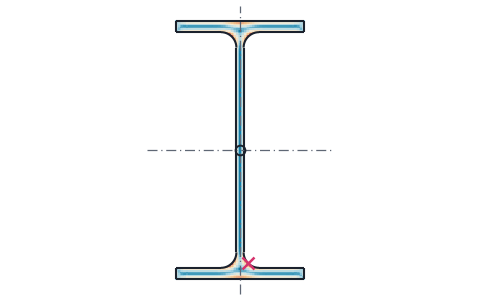
Area, centroid, second moments and section moduli of any drawn or standard section, the mass of a sheet part, and the torsion constant and shear center from a finite element solve.
-
Stress analysis
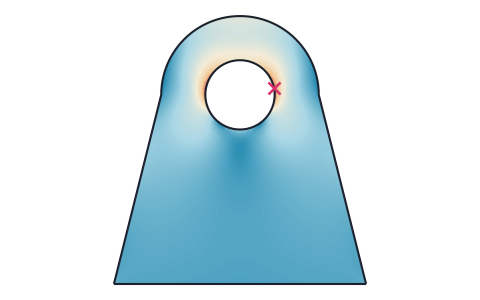
Finite element stress analysis of flat parts from DXF, SVG or STEP files, with supports and loads by edge and hole number, the von Mises and principal stresses, the deformed shape and a safety factor.
-
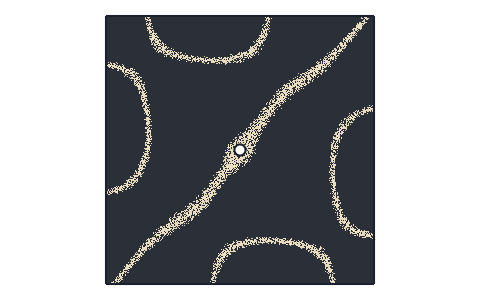
Plate frequencies
Natural frequencies and mode shapes of flat plates from DXF, SVG, STEP or KiCad files, with each edge free, clamped or simply supported, and their Chladni figures.
-
Heat transfer
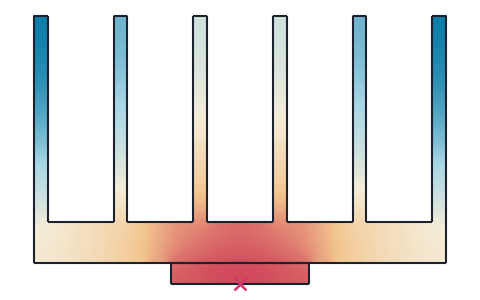
Steady and transient 2D heat transfer of profiles, heat sinks and plates from DXF, SVG or STEP files, with several materials, convection, radiation and contact resistances, and the thermal resistance.
-
Playground
planex2d code in the browser, with OpenCASCADE for 3D solids and netgen and NGSolve for finite elements, shared as a link that carries the code.
The planex2d Online Tools page lists every tool, and the planex2d documentation shows the library behind them.